OUTLOOK EXPRESS
Replying to an e-mail you have received
Step 1
After your machine has been started, it should
look like this the picture you see below.
You need to scroll down to the end of this page... to do that you will
see a long bar at the far right hand side of the page
with a little triangle at the top and a little triangle at the bottom.
click on the bottom right triangle to make the page go down.
This is called "scrolling".
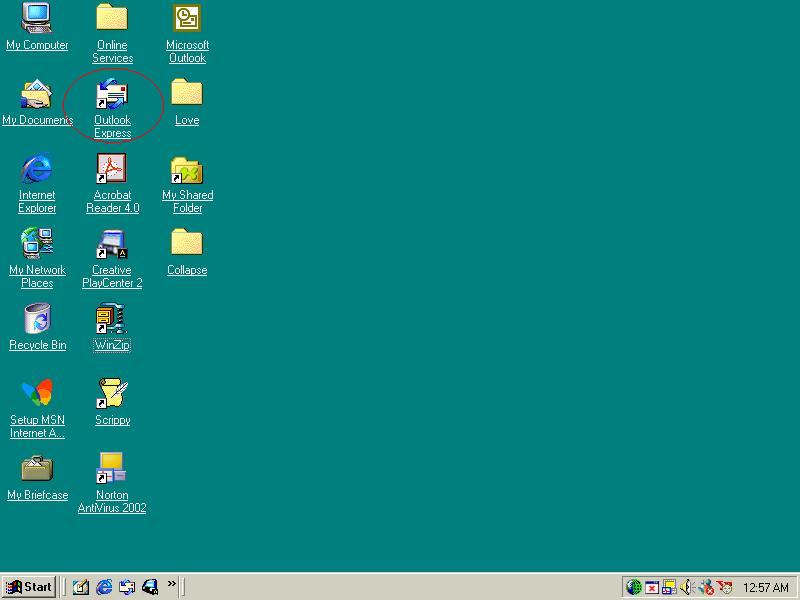
 STEP 2
If you look closely at the picture you will see
a red circle around Outlook Express. Click on Outlook Express....
STEP 2
If you look closely at the picture you will see
a red circle around Outlook Express. Click on Outlook Express....
Scroll to bottom of page.(remember that is the little triangle at the far
right bottom of the screen.
 STEP 3
If you look closely at the picture you will see
a red circle around Inbox. Click on Inbox....
STEP 3
If you look closely at the picture you will see
a red circle around Inbox. Click on Inbox....
Scroll to bottom of page.(remember that is the little triangle at the
far right bottom of the screen.
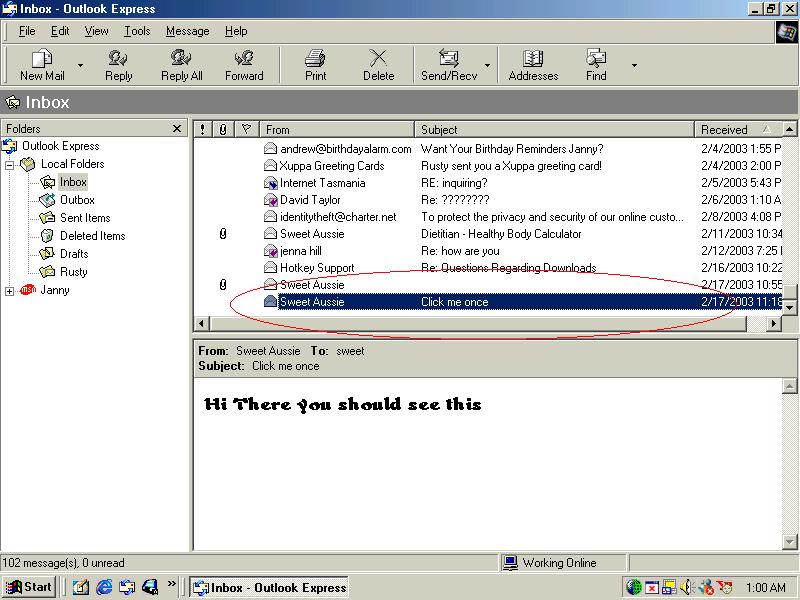
 Step 4
If you look closely at the picture you will see a
red circle around Sweet Aussie. Click on Sweet Aussie...
Step 4
If you look closely at the picture you will see a
red circle around Sweet Aussie. Click on Sweet Aussie...
Scroll to bottom of page.(remember that is the little triangle at the
far right bottom of the screen.
STEP 5
If you look closely at the picture you will see
a red circle around Reply. Click on Reply....
Scroll to bottom of page.(remember that is the little triangle at the
far right bottom of the screen.

STEP 6
Now your screen should look like this...maybe
the whole screen but as long as it looks the same as this box your right.
If you look closely at the picture you
will see a red circle around Type here.
Scroll to bottom of page.(remember that is the little triangle at the
far right bottom of the screen.

Page 7
If you look
closely at the picture you will see a red circle around Send. Click on Send....
Scroll to bottom of page.(remember that is the little triangle at the
far right bottom of the screen.

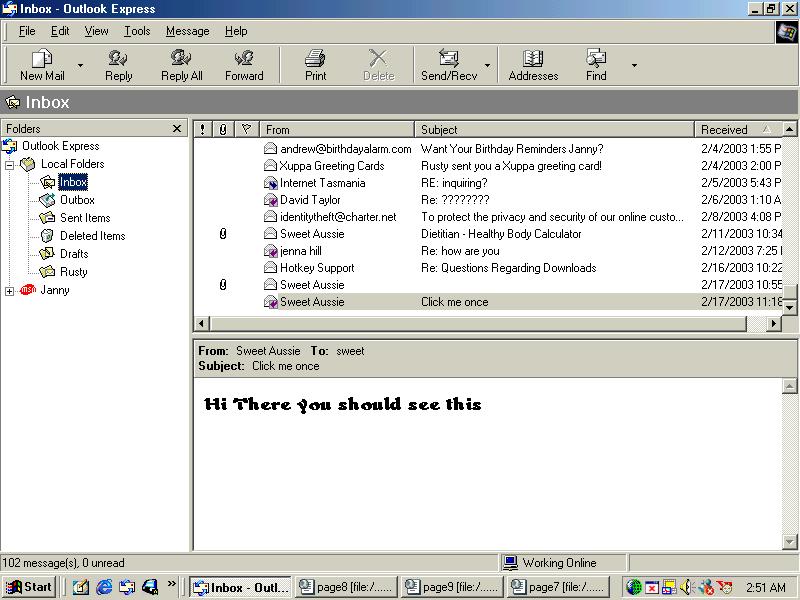
STEP 8
Once you have clicked send you will go back to the normal
outlook express window.
Now this is what you should see once you have clicked on send.
Scroll
to bottom of page.(remember that is the little triangle at the far right
bottom of the screen.
That is all there is to it.....

