Deleting Unwanted E-mail
The first thing we need to do is open Outlook Express.
Left click on Outlook Express on your desktop to open it.
You will see the Outlook Express window as shown below.

Make sure you have left clicked on the inbox.
Once the inbox is highlighted in blue look over to the right to the other
white box with the messages in it.
See picture below.

Now look at each email and the ones you don't need to keep you will delete.
To delete left click once on the email which will highlight it and then
go up to the delete button.
Left click on the delete button now the email should have gone.
See picture below.

Now look at the next email message and if you don't want it go up to the
delete button and delete it.
Now if you DON'T want to delete that message you wish to keep it for some
other time don't click on the delete button.
Just left click on another message and when you find one you no longer want
click on the delete button.
The ones you don't delete will still be there.
Ok lets hope that is understandable for you.
Lets move on to emptying the deleted items you just got rid of.
Once you have finished deleting all the unwanted e-mail you need too empty
the
deleted items folder.You are going to left click on the deleted items folder.
See picture below.

Now we are going to hold the mouse pointer over the deleted items folder
and right click it once.
This is what you will see once you right click on it once.
See picture below.

Ok now bring your mouse pointer down to Empty deleted items folder.
It will now be highlighted in blue, left click once and it will empty that
folder.
See picture below.
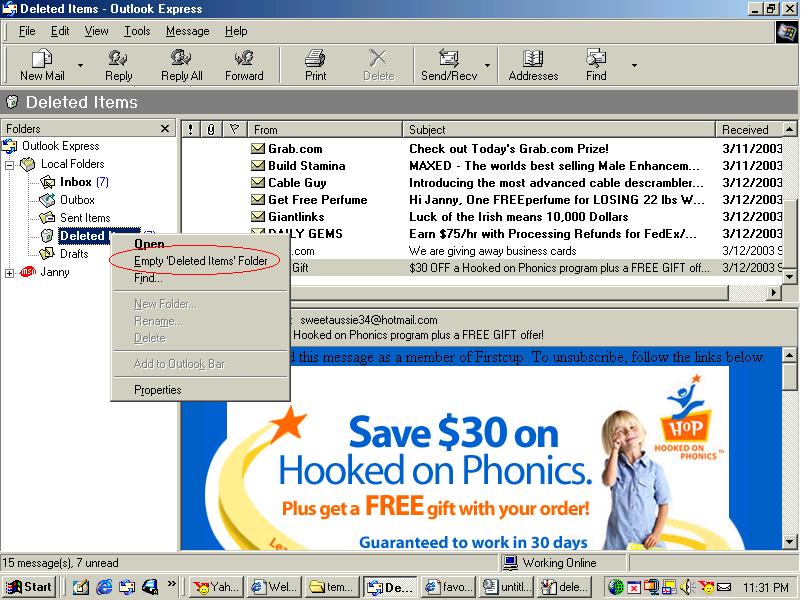
Now a message window will come up asking you if your sure you want to
permanently delete the contents of the Deleted items folder?
You then click on yes.
See picture below.
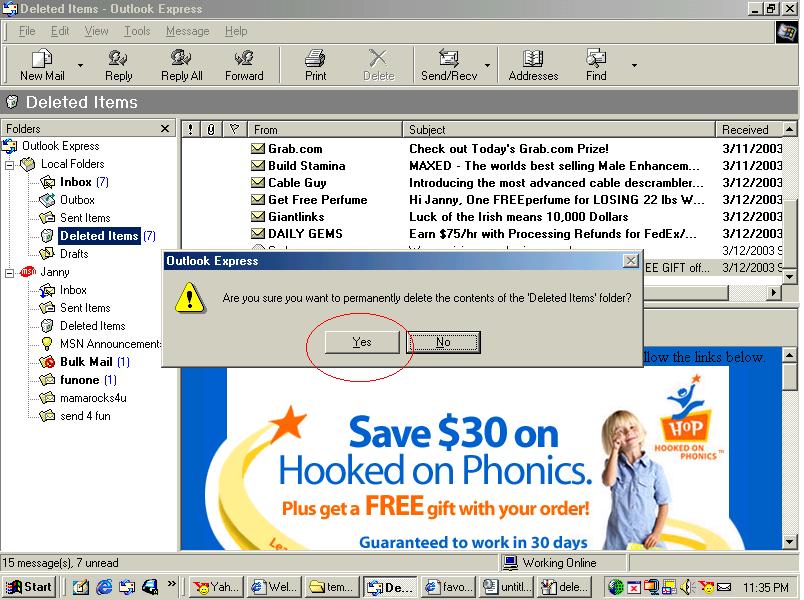
Now you have clicked the next button you will have no messages in the deleted
items folder.
See picture below.
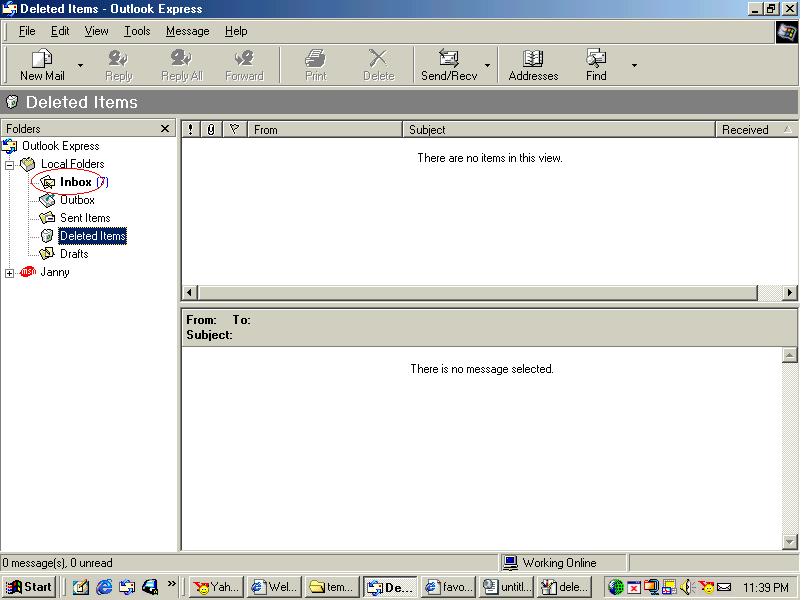
Now just left click on the inbox .
You should now have gotten rid of all your unwanted e-mail.
Every time you get mail you no longer want then follow these instructions
to delete them.
GOOD LUCK :)

