
|
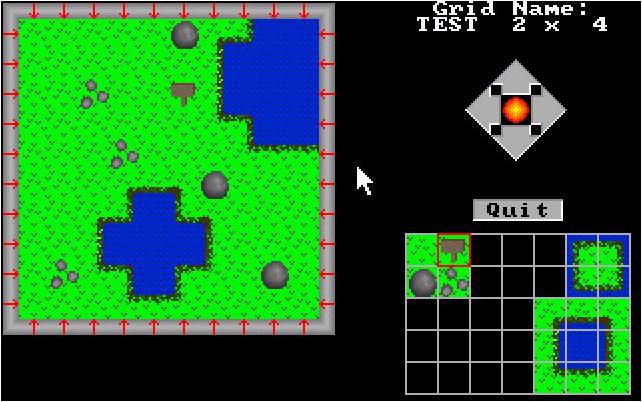
This program is for making separate map screens for any type of RPG game with an overhead view. Character movement would be like that in Zelda, moving from one section of the map to another via "pages". Each "page" is saved to a separate file in the form "MAPNAME" + "x-coordinate" + "y-coordinate". So if your map name is "Town," then the grid x = 1, y = 1 would be named "town0101". Right now, the files do not have an extension. You can create the map and then navigate what you've created so far using the arrows on the map edit screen. You can also click on any section on the main screen to edit.
For now, you can do the following:
Most changes you make are automatically stored right now, and I don't have anything programmed to indicate bitmaps that can be walked on versus bitmaps that cannot be. If you are interested in seeing how things can turn out, I've created a test map that is 5 x 5, with a page size of 10 x 10. That's 2500 tiles. To enter that all by hand, or even worse, trying to change it, would be a nightmare and take hours of planning. With this program, after the bitmaps were created, it took me about 30 minutes to create the entire map by "painting" the bitmaps onto each grid. Click here to see the map I created.
| |
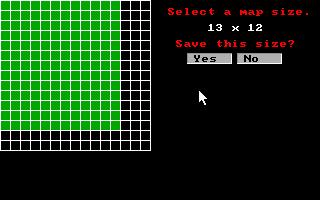 |
This determines the total size of your map. |
| This determines the size of the individual grid. | 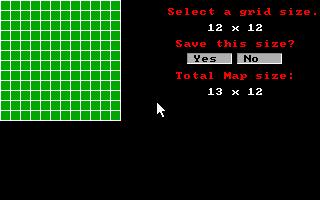 |
 |
Self-explanatory, this is the main screen. All functions are available from the menu. Clicking on a map segment will take you to the grid editor. As the program matures, more functions will be added. |
| Bitmaps are created and edited on this page. As you edit on the larger grid, the actual bitmap is also displayed. Bitmaps are 15 x 15 pixels. | 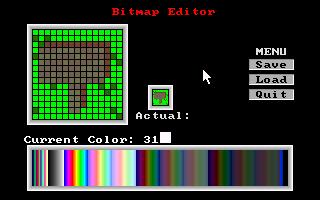 |
 |
On the grid editor, there is only room for a few bitmaps to be displayed. This page lets you select from all the bitmaps available to you, which ones will be displayed on the grid editor. |
| This page just allows you to view all the bitmaps you have made. Default color is gray. You can create and store up to 209 different bitmaps. |  |
 |
This is where you place bitmaps onto the grid, thus forming the complete map. Eventually I'll create a button to link directly to the palette editor so you don't have to go through the main menu. You can navigate from one grid to another via the arrows. |
| This was one of the funner pages to create. QBasic by default makes 248 - 255, the last 8 colors, black, and therefore can be reassigned using the OUT command. This page designates the RBG values to any of them. |  |


