
In case you don't know the basics of HTML and EZCode, Dru, one of our mods, was kind enough to provide a short crash course:
How To Put Images In Posts, And More
There are two types of "code" to use to make images, links, and text do what you want: HTML, and EzCodes.
EzCodes:
Putting images in your post:
Type this: [img]URL OF IMAGE HERE[/img]
To get something like this:
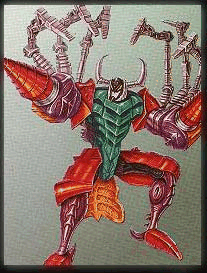
This is the exact code to do that: [img]http://druesome.1avenue.com/scavenger.jpg[/img]
Putting links in your posts:
There are two ways. The easiest is just to click the "Auto-create Links" box, on the reply screen. That way, all you have to do is type in a url, and it turns into a link.
For example, if I type this: http://www.theallspark.com
My reply shows this: www.theallspark.com
To make text bold or in italics:
This is what I would type to make the text in that line - "To make text [b]bold[/b] or in [i]italics[/i]:"
Now for HTML:
Putting images in your post:
Type this: <img src="URL OF IMAGE HERE">
To get something like this:
This is the exact code for that: <img src="http://druesome.1avenue.com/scavenger.jpg">
Putting links in your posts:
Type this: <a href="URL OF LINK HERE">Put some descriptive text here</a>
To get this: Go to the AllSpark!
The exact code for that is this: <a href="http://www.theallspark.com">Go to the AllSpark!</a>
To make text bold or in italics:
This is what I typed to make the text in that line - "To make text <b>bold</b> or in <i>italics</i>:"

