Taking Pics on PSO!!
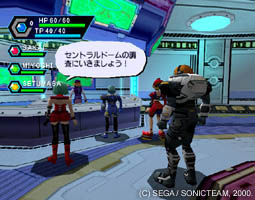
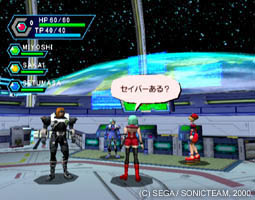
How do i make a snapshot?
"PSO allows you to take a snapshot anytime you want other than load screens (online & offline).
You must have a controller in port D and you need a memory card with 195 free blocks in slot 2 of that controller.
Now you must choose what type of picture you want, either way you will press 2 buttons on controller D. If you want a closeup of the center of the screen, hold X and press Start; if you want a full screen picture, hold A and press Start. (Note A + X + Start is the same as A + Start) [Thanks to TeleKawaru for the info] The screen will then go black and begin to countdown in the top-left corner, when it hits zero your snapshot will be finished saving on the card in cont. D, slot 2. (Warning: as with all other aspects of PSO, this will NOT pause the game, make sure you're somewhere safe before taking the snapshot.)
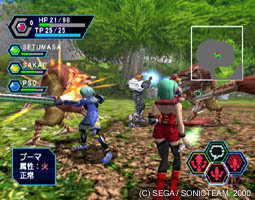
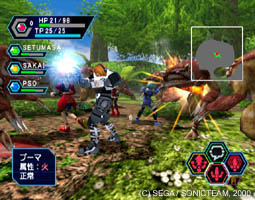
Now that you have this snapshot, what do you do with it?
That's where this site comes in, you come here http://pso.donut.dhs.org/.
We will convert the snapshot into a jpeg picture and send it to you as an email attachment.
Just enter your email address, change the message subject (optionally), select the save from from you VMU, and hit the button. That's it.
The process will probably take 3 minutes, when it's over you'll be returned to this page and, assuming you entered your email correctly, your picture will be on its way to you.
About the image
May people have ask me why the image is so small and if i'm converting it at full size. The answer, i'm afriad, is yes; the image i send is the exact size (256x192) that is saved by PSO. Graphics, especially higher color graphics like this [16 bit], take up what on a computer is a small amount of space; but on a VMU that only holds 100K of data, they are huge. So you just can't get a big picture saved on the VMU; but het, any picture is better than none. :)
"
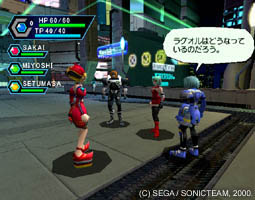
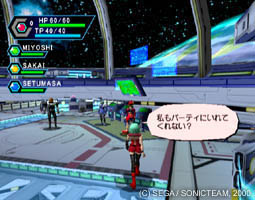
-thanks to
http://pso.donut.dhs.org/
for this helpful info!