
Site hosted by Angelfire.com: Build your free website today!

Extra Settings and Querying Modem in Windows 2000 / XP         


                                                                                                                                         Home
1. Double click My Computers -> Control Panel -> Phone and Modem Properties --> Click Edit
                                                                                                                               
Top  Home
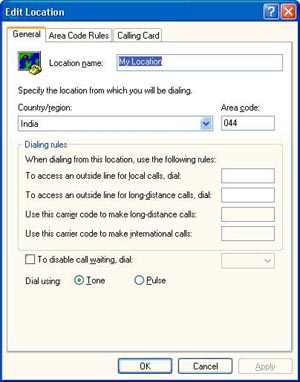


2.  To check tone/pulse + area code
                                                                                                                               
Top  Home
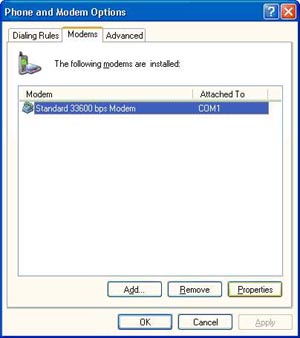


3. Select Modem - > Click Properties to check speed
                                                                                                                               
Top  Home
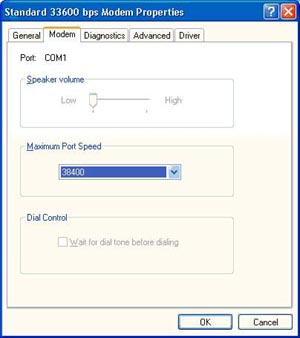


4. Ask the customer to reduce the speed to 38400
                                                                                                                               
Top  Home
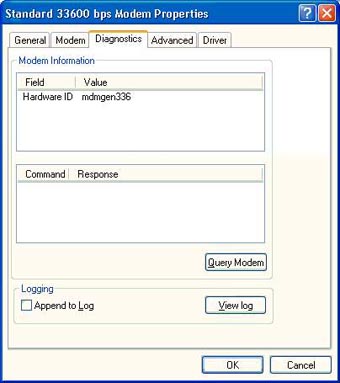


5. Select Diagnostics - > Click Query modem to check whether the modem is communicating or not
                                                                                                                               
Top  Home
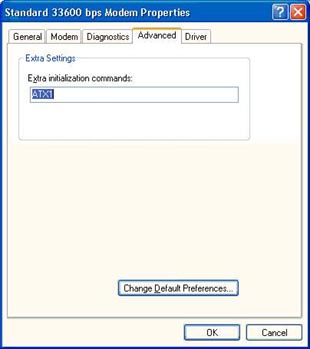


6. Select Advanced - > for Extra settings
                                                                                                                               
Top  Home
