Home
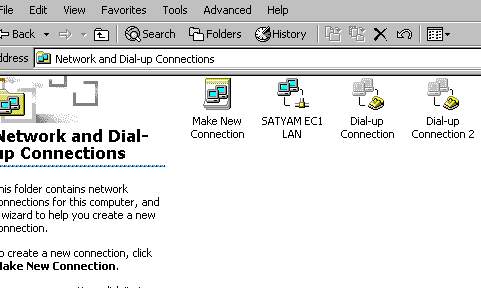
1. Double click on the " My Computer " --> " Control Panel "
--> " Network and Dialup..."
( OR
Start --> Connect to --> Show all connection --> Right Click
SatyamOnline --> Properties )
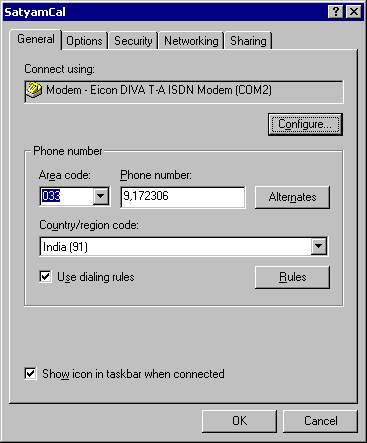
2. Right Click on connection --> Properties. Click on "
Alternates " and you can add more than one telephone number you want to dial .
Top
Home
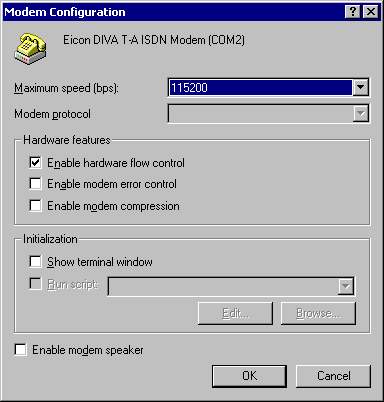
3. Click on Configure button
Top
Home
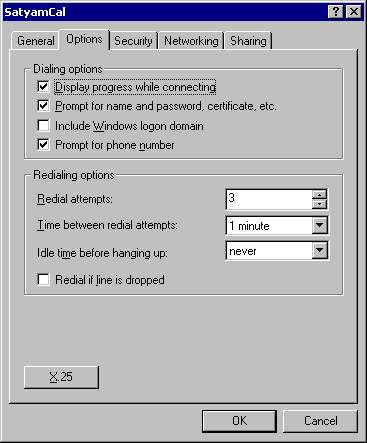
4. Click on OK in the Modem configuration window, click on Options
tab
Top
Home
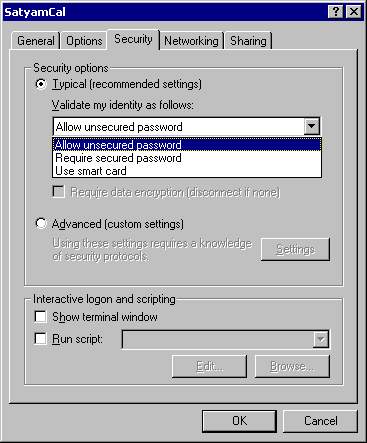
5. Click on Security and under validate my identity as follows box , select the "
Require secured password "
(
To enable PDTS , select "Show terminal window")
Top
Home
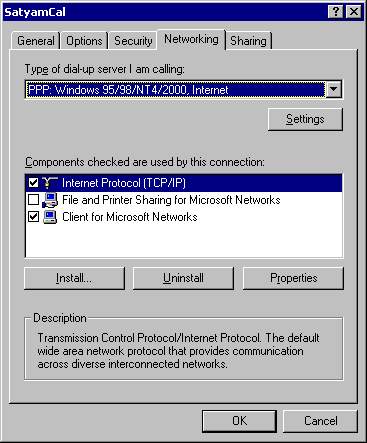
6. Click on Networking
Top
Home
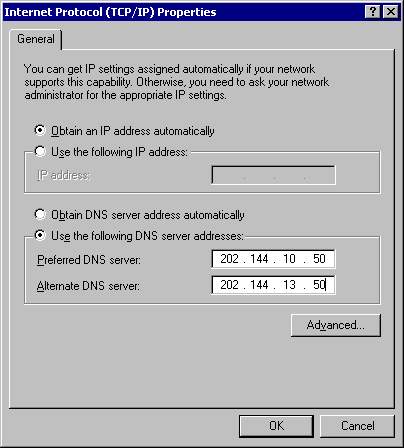
7. Click on Properties , the TCP/IP Properties box will come .Select " Use the following DNS server addresses " and enter the Preferred DNS server and Alternate DNS server address.
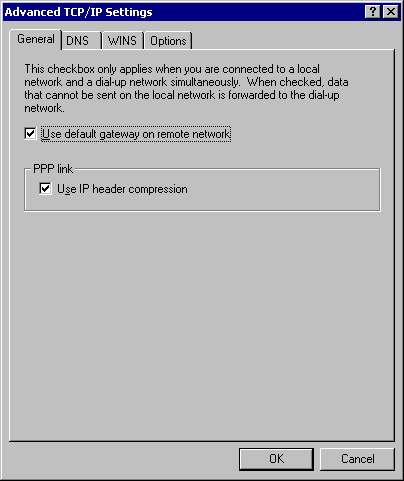
8. Click on Advanced button
Top
Home
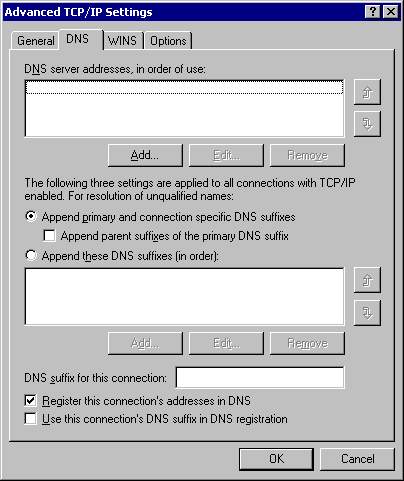
9. Click on DNS tab
Top
Home
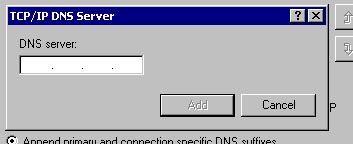
10. Click on Add, add the DNS server addresses and click on OK
Top
Home
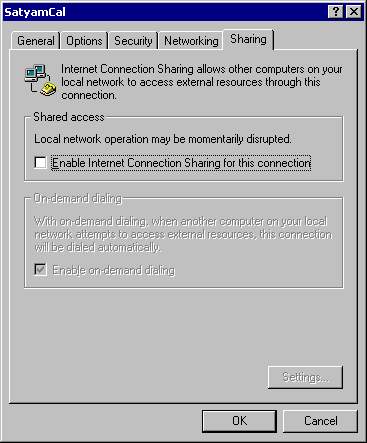
11. Click on Sharing