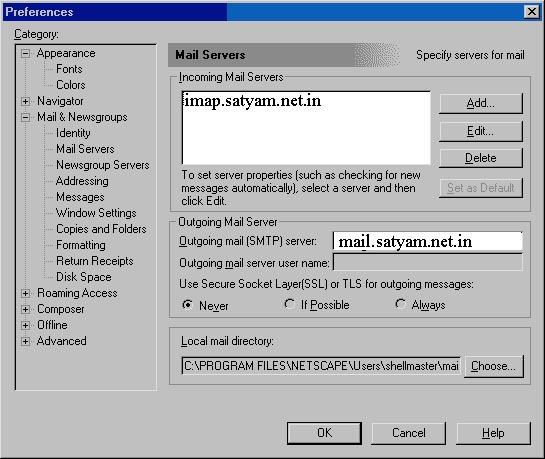
You do not need to be connected to the internet to change these settings.
1. Start up Netscape Communicator 4.5.
2. Click on "Edit" and then "Preferences".
3. Double-click "Mail and Newsgroups" --> "Identity". Fill out Your name and Email address accordingly.
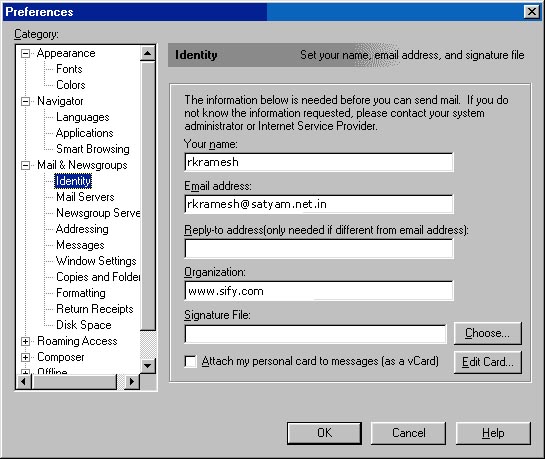
4. Click on "Mail Servers".
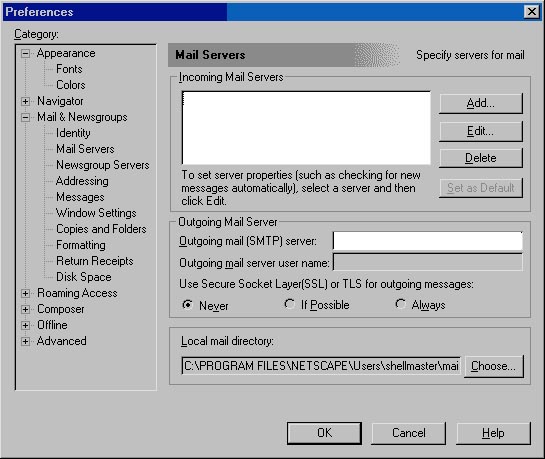
5. On the right side, it will say "Incoming Mail
Servers". (There may already be a mail server there, if there is,
choose to EDIT that entry by clicking on the EDIT button else....).
Click on the "ADD" button and enter
"Server Name", "Server Type" and "User
Name".
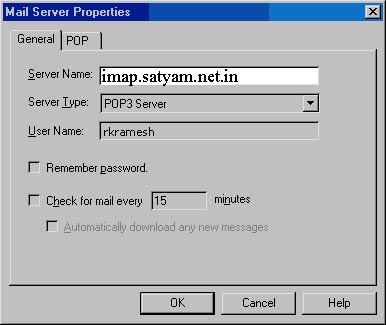
Press OK, and you will come back to the Mail Servers box.
6. Enter "Outgoing SMTP server"