
|
    
|
| Tutorial Section II |
|
Visual Basic comes bundled as an Add-in with an API Viewer Application. In simple terms the API Viewer allows you to browse through Microsoft's API declarations. This is a very important feature because the declarations can be very elaborate. So this way you only have to remember what particular API function does what and leave the rest to the Viewer. So How do we get to the Viewer? Well that's the next step, so just follow along. The first step is to go up to the Add_ins menu and select Add-In Manager ... As in Fig.2 |
Once You have select the Add-In Manager select VB 6 API Viewer from the list Make sure to check the Loaded/unloaded box as well like in Fig.3 Then go Ahead and Click OK. Once this is done the API Viewer will be available to you through the Add-Ins menu (Fig.4).
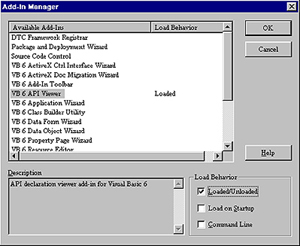 Fig.3 |
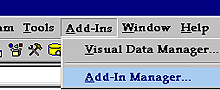 Fig.2  Fig4 So Go on select the API Viewer and lets continue. |

|
Break out the Viewer . . . |

|