
How To Place Images On Messages
Step 1: Open a New Discussion
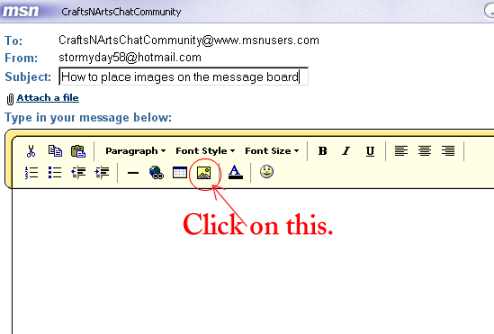
Step 2: Click on the icon circled above.
You will then see the following:
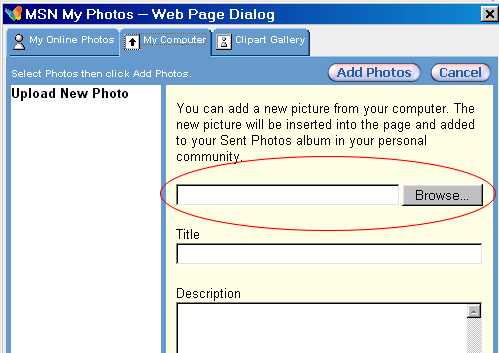
Step 3: Locate (browse) the image you wish to use on your hard drive.
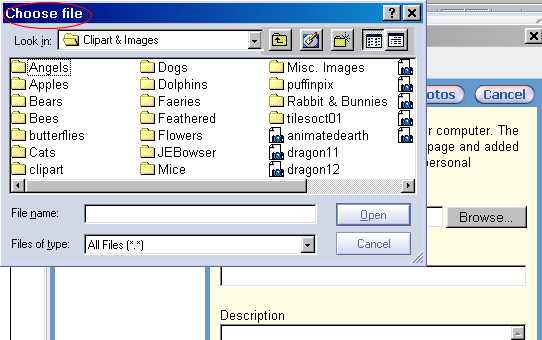
Step 4: Choose your file and click on "Open."
Step 5: Click on "Add Photos."
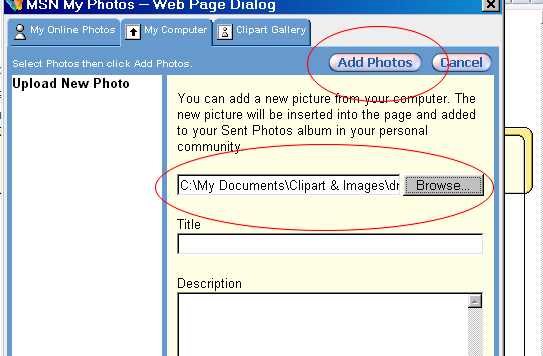
Step 6: Image will be placed on message.
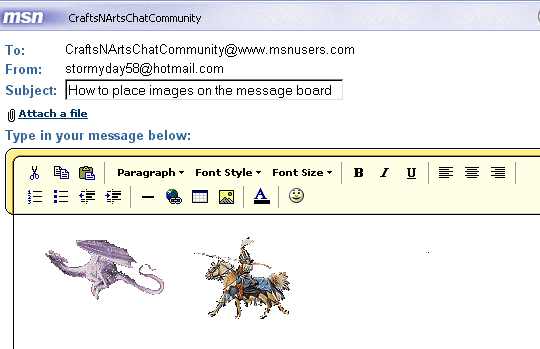
It does take some practice to be able to get images placed where you would like them to be.
Note: Images can be resized by clicking on the image and dragging one of the corners inward or outward. However, the proportion ratio is not fixed and the image will looked skewed. You have to play with it a bit to get it to look right.
Page can be printed out by using the Ctrl and P keys on your keyboard.
