
MSN/Hotmail Enhanced E-mail Filter
One of the major complaints among MSN/Hotmail users is spam and/or junk mail. Here is the process to protect yourself from unwanted emails.
Go to your email account and select the Options link located to the right of the Contacts tab.
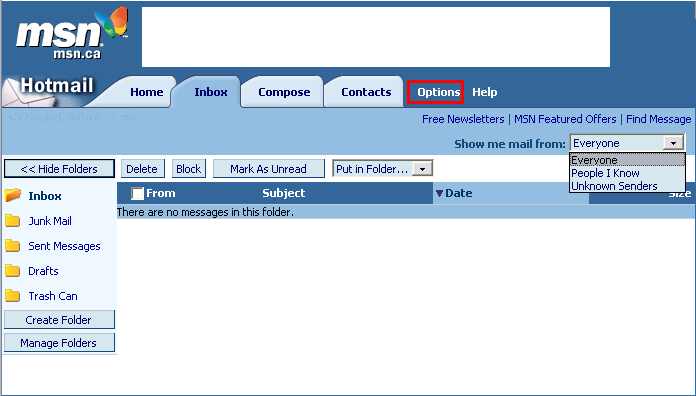
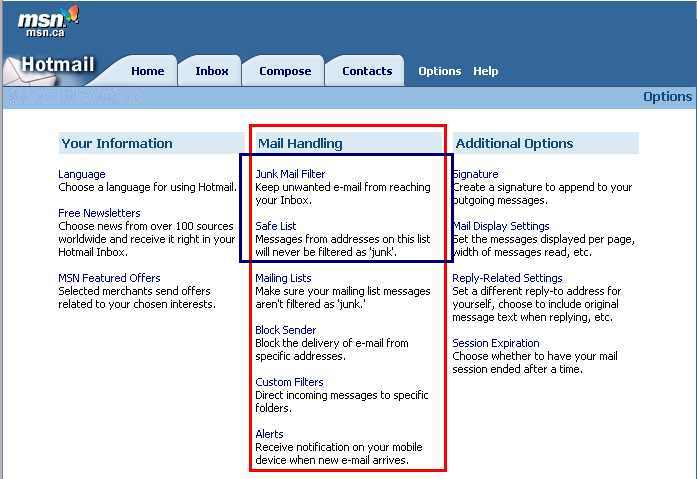
The center column: Mail Handling, is where you will find the two features that you need to change the settings of.
Specifically, Junk Mail Filter and Safe List.
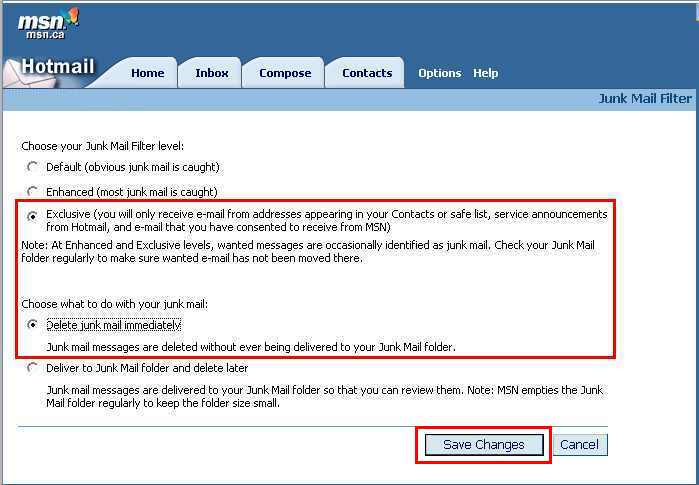
Under Junk Mail Filter, select Exclusive AND Delete junk mail immediately. Save Changes.
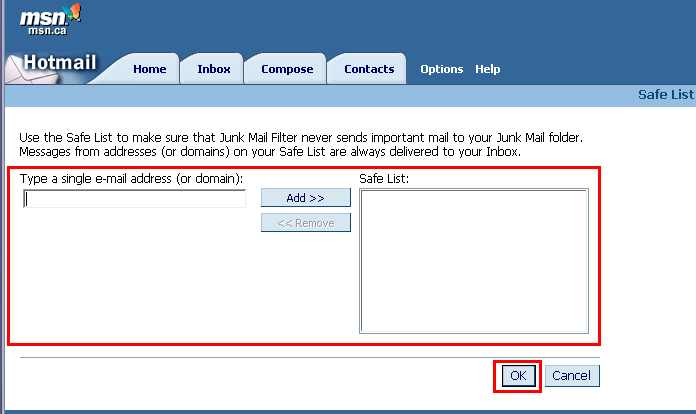
Then go back to Options and select Safe List. If you have many contacts, this process will be somewhat monotonous, but its worth the effort if spam and junk mail is not in your inbox everyday. What I do here is open another window and go to my Contacts list. Then, I open the information dialog box for individual contacts and then copy and paste their email addresses into the Type a single e-mail address (or domain): field. Its a cumbersome process, but the only other alternative is to write down the addresses and then type them in.
NOTE: I'm compelled at this point to mention that great care should be practiced when signing up for newsletters and jokes sites. Very often, this is why you get so much junk mail. Never assume that a site's Privacy Statement is going to guarantee that your email address will not be given to someone else.
