
Adding Signatures to Your Hotmail/MSN Emails
To add a signature image to your Hotmail or MSN emails you need to have the image in a community/group photo album. Don't take it from the small picture or you will get a black square. Go to the full image.
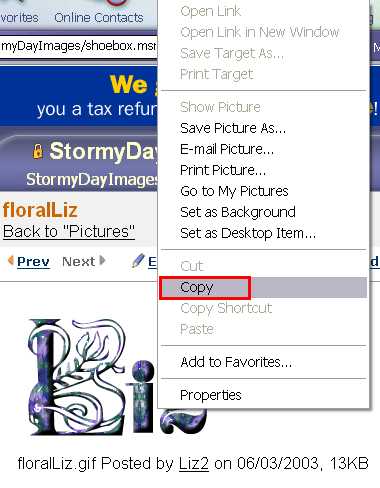
Right click on the image and select "Copy" and then go to your Hot Mail account. (Like you're going to compose a letter)
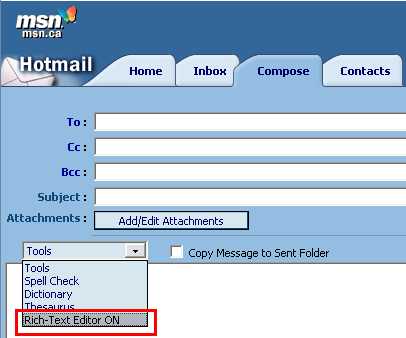
Make sure your "Rich-Text" is checked. ( That's where you can make the smilies, etc.)
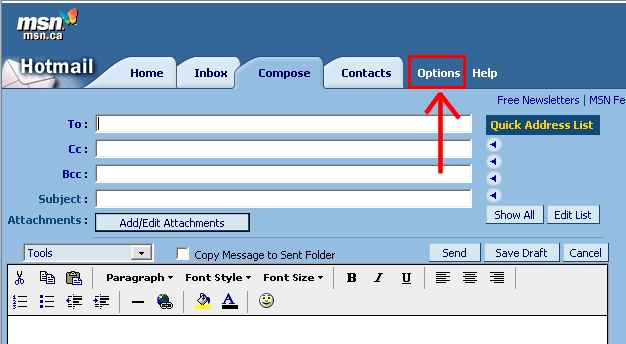
Click on "Options"
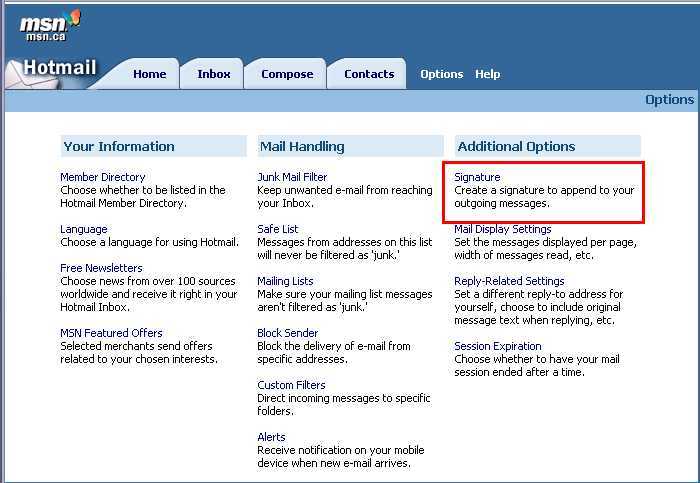
Then "Signature"
Another window will pop open, that is where you "Paste" the signature that you just copied.
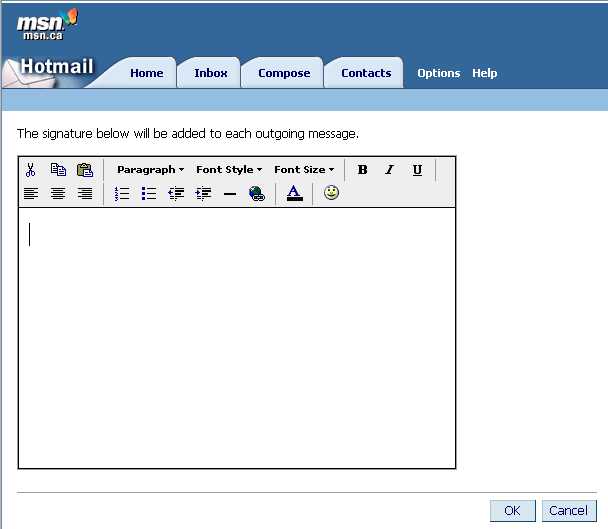
Paste it by clicking on the Clipboard icon and then place the image where you want it, such as centered etc. You can add a message at this time too if you wish. When you have it pasted make sure you click on "OK" at the bottom of the page.
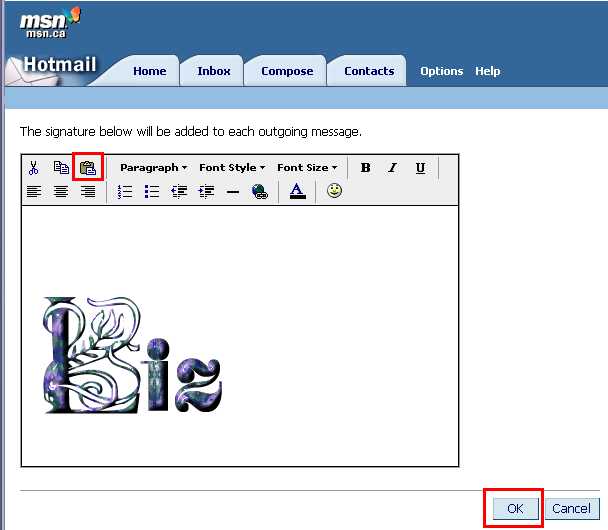
Now every time you send out an e-mail in MSN Hot Mail the image will be on your outgoing emails.
