
Changing your email settings for the community and editing your member profile.
If you receive messages for the community's message board in your email inbox and would really rather not, then here is what you do:
Step 1: Locate on the front page of the group, the What's New page, the member tools on the far right hand side.
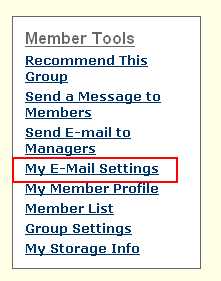 Step 2: Click on "My E-mail Settings
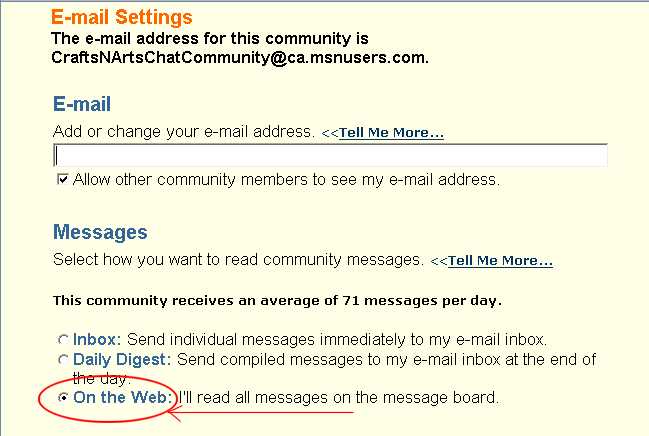
Select "On the Web"
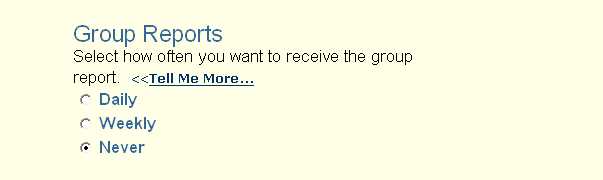
If you are not interested in getting group report, either daily or weekly, select "Never."
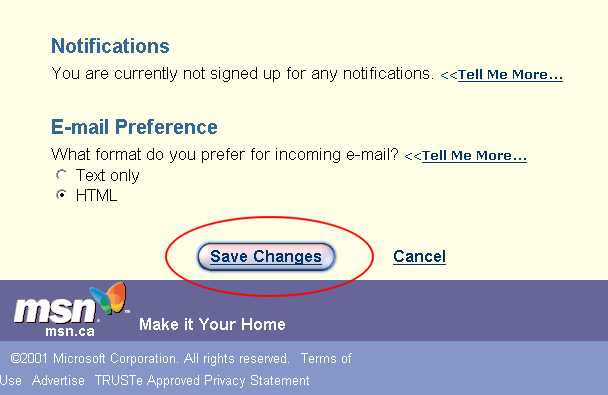
Click "Save Changes"
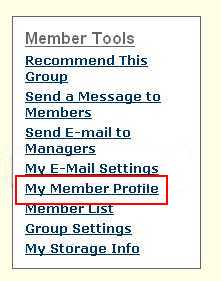
To edit your member profile, select "My Member Profile" on the Member Tools box from the What's New page.
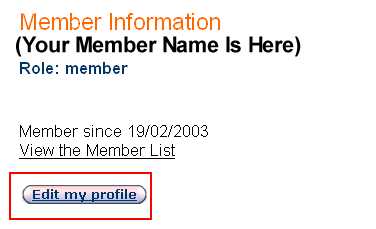
Click on the "Edit my profile" button.
From this section you can change your screen name, unjoin the group, tell a little bit about yourself, and make some other corrections.
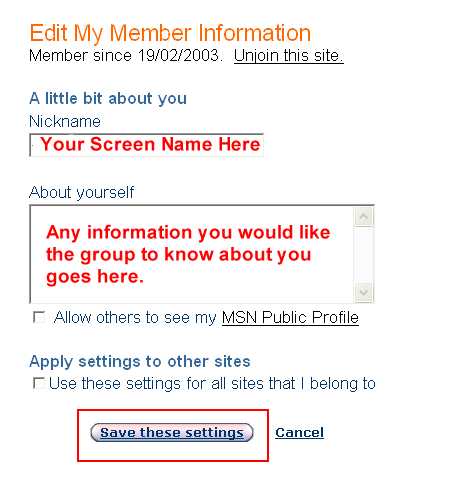
The "Allow others to see my MSN Public Profile" is NOT recommended.
If you check the "Apply settings to other sites" all changes you make here, will be changed in your other groups as well.
Click the "Save these settings" button to complete.
