HOW TO MAKE A FAMILY LABEL
*I am using Ulead PhotoImpact for this tutorial. But you can accomplish this in PhotoShop as well, with nearly the same instructions*
1. First you will need to go to: http://www.familylabels.com/
2. Once there click on the first head, it will be a blinkie saying to start click here.
3. Click on where you'd like to start first, either male or female head.
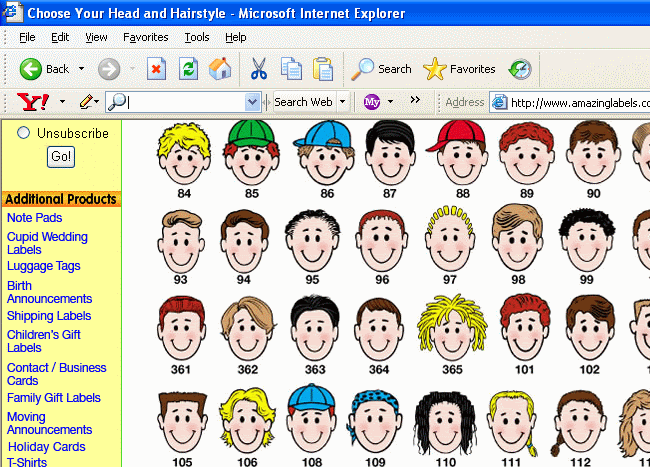
4. Click on whatever head you'd like to use, normally the "kids" are up top and the adults are the bottom.
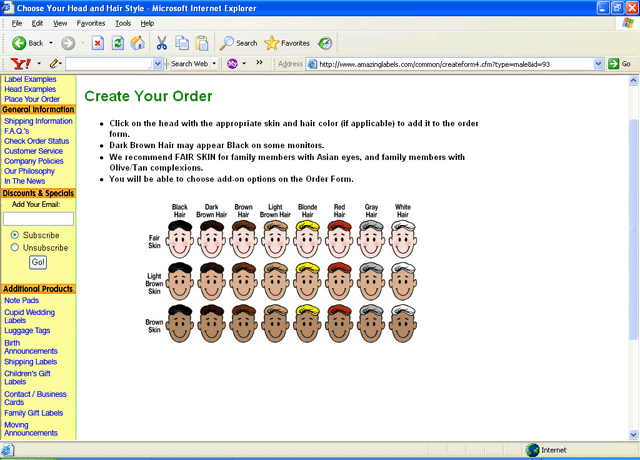
5. You will see a variety of skin tones and hair colors, click on the one you wish you use.
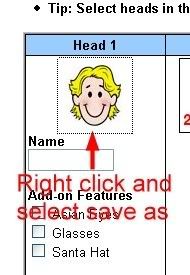
6. Right click on the head you have chosen and select save as. Save it as whatever file name you wish.
7. Repeat steps for each family member you wish to simulate. There are a variety of pets to choose from as well.
8. In your photo editing software open a new image. Depending on the size of your family will depend on the size you want it. Sometimes its best to start large and then crop it later after everyone is on it.
9. Open your chosen head(s)
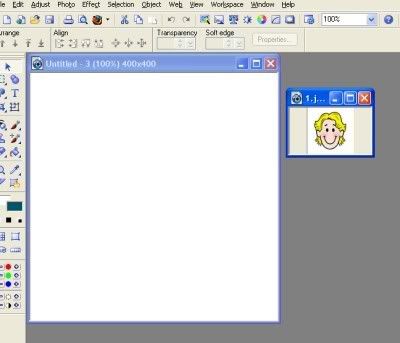
10. Click on your selection tool
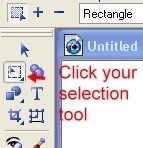
11. Select around your head and click copy. Depending on the program you can just click the move tool and drag it to your new image.
12. If you copied the head, click on your new image and click paste. (If you moved the head, just move it to the place you want it to be.)
13. Use your move tool to place the head as you wish.


14. Use your text tool to add names and header where ever you wish. Use your move tool again if you need to line up the names and such more.
15. Once you have everyone in place and names made, crop as needed and save. Jpg loads faster on the internet than gif does. Jpg also allows you more colors than gif, generally though either is fine.
16. If you wish to add a border expand your canvas and select a color for that, or do a paint on edges through your effects options.
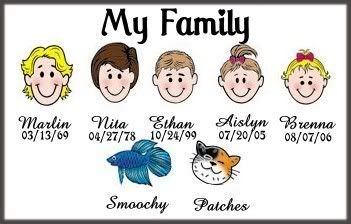
Here are 2 examples of labels I have made for my family
Basic label

Label with border and bdays (I added bdays because you can't post tickers on pw)
If you have any questions please feel free to ask me!
Email
Home

