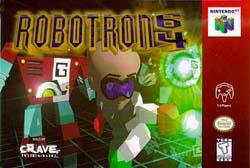
Robotron 64
Auto Replay
At the Setup Menu Press: Left, Right, Up, Down, C-Left, C-Right, C-Left, C-Right (REPEAT THE WHOLE SEQUENCE 3 TIMES), for Auto Play.
Password Editor (file)
The following is a Password Editor for ROBOTRON 64. You set the Score, Lives, Level, and Difficulty that you want to start with and it gives you a password that you then input into ROBOTRON 64. (IT'S FREEWARE)
You can download it at:
http://www.fortunecity.com/millenium/castleton/71/robo64pe.zip
Note: This program only works in Windows
Bunch of Codes
50 Extra Lives - At the Setup menu press: Up, Up, Down, Down, Left, Right, Left, Right, C-Left, C-Right, C-Left, C-Right.
Level Select - At the Setup menu press: Down, Up, C-Left, Down, C-Left, C-Right, Down, C-Right.
Flame Thrower - While playing press: Down, Right, Down, Right, C-Right.
Game Boy Mode - At the Setup menu press: Up, Down, Right, C-Left, Down, Up, Left, C-Right, Up, Down.
Speedup Game Play - While playing press: Left, Left, Right, Right, C-Up.
Radiation Spray - While playing the game press: Up, Down, C-Right, C-Left.
Shield - While playing the game press: Down, Left, C-Left, C-Right.
Two-Way Fire - While playing the game press: Up, C-Up, Up, C-Up.
Three-Way Fire - While playing the game press: Right, Right, C-Left, C-Down.
Four-Way Fire - While playing the game press: Down, Down, Up, C-Right.
Double Laser:
Up, C-Up, Up, C-Up
Triple Laser:
Right, Right, C-Left, C-Down
Four-way fire:
Down, Down, Up, C-Right
Shield:
Down, Left, C-Left, C-Right
Speed Up:
Left, Left, Right, Right, C-Up


