How to resize and compress in 20/20
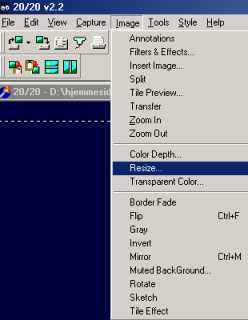
Go to the menu bar and choose Image / Resize
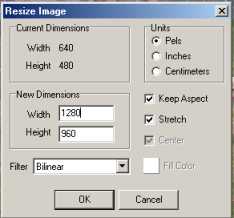
now you can choose the size you would like
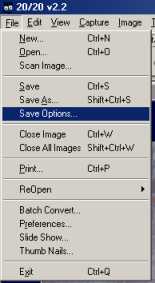
go to file / save as
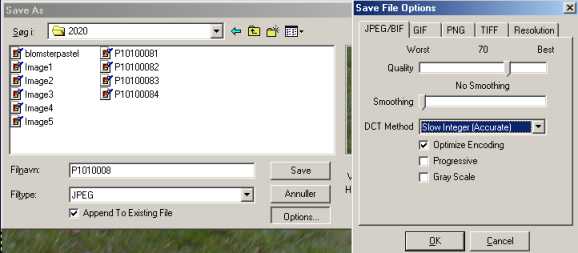
here you get to chose options , set quality to 70 and smoothing to none ,
press the OK button and save
Updated 30/4/01