
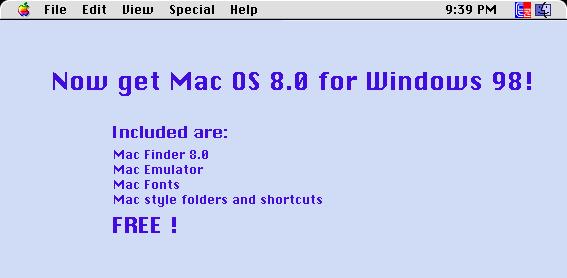
To Mac users...
To PC users...
If you answered yes to any of the above questions, you should try these few downloads, which I have tested on a number of Windows machines. They are all easy to install and uninstall. They are FREEWARE and do not require a payment of any kind. Below are actual screen shots of a Windows98 desktop with these "Mac View" running. Click on the thumbnails displayed below to see a larger image.
Below is a list of recommended programs that can help give
your PC the...
By downloading and clicking on these two (virus free) files your desktop will be changed automatically. To change it back, just click "uninstall" from their program menus. Freeware
Highly Recommended:  Mac95
- A creative desktop theme for windows from Vanessa Zoe. This program adds
Mac style wallpaper, icons, event sounds, cursors, system fonts, and startup/shut
down screens. Highly detailed. Very easy to install or uninstall. 100%
automatic. (updated 10/99) Mac95
- A creative desktop theme for windows from Vanessa Zoe. This program adds
Mac style wallpaper, icons, event sounds, cursors, system fonts, and startup/shut
down screens. Highly detailed. Very easy to install or uninstall. 100%
automatic. (updated 10/99)
Highly Recommended: WinMac
- A functional, customizable Mac style "Finder" menu bar and a cute
Mac Caculator. Toggle between System7 and OS8.
Recommended: * Thank you for you questions on Mac Fonts. When you download
and install WinMac95, you will have the true Macintosh fonts. Look
under "C:\Program Files\WinMac\extra." This folder will have the
famous "Chicago" font that we all love!
Download Source Links.
ShareWare Other
 (32-bit
Win) L-View Pro, For the easiest Photo editor around with a
good collection of editing tools.
(32-bit
Win) Tweak UI 98, A friendly and very easy user interface for
tweaking windows 98 to fit any idea. (32-bit
Win) L-View Pro, For the easiest Photo editor around with a
good collection of editing tools.
(32-bit
Win) Tweak UI 98, A friendly and very easy user interface for
tweaking windows 98 to fit any idea.
Other nice files to change Windows 95/98 to Mac OS 8.X (16-bit
Win) TransMac, An older, but still useful program to allow
Windows read and write to Mac disks.
(16-bit
Win) iMac Icons, a wonderful high colour icon pack from
the iMac OS.
(16-bit
Win) iMac 2 Icons, a wonderful high colour icon pack
from the iMac OS.
(32-bit
Win) Mac Theme, a basic Mac Theme for Windows 95/98.
(32-bit
Win) Mac95v55, an advanced Mac Theme set.
(32-bit
Win) Mac Shine 98, gives you Mac OS tools.
(32-bit
Win) WinMac98, gives you the Mac OS 8 apple taskbar,
complete with working menus, tools, Apple menu, Apple Calculator,
and Mac FINDER.
(32-bit
Win) Mac Explore (Gemxplor), Best tool for reading
Mac disks on a Windows PC, complete with easy to use menus and tools.
Changing Windows 95/98 to Mac OS websites .  (Web
Page) Zoe ~ Mac Theme, 100% automatic Mac theme Setup.
(Web
Page) WinMac98 Homepage at http://www.niklas.com/w.html
(Web
Page) 101 Windows themes, a great resource. (Web
Page) Zoe ~ Mac Theme, 100% automatic Mac theme Setup.
(Web
Page) WinMac98 Homepage at http://www.niklas.com/w.html
(Web
Page) 101 Windows themes, a great resource.
Macintosh Software  (Macintosh)
Mac to Dos file namer. Allows the Mac user to use the three letter
extensions to transfer files to PCs. (Macintosh)
Mac to Dos file namer. Allows the Mac user to use the three letter
extensions to transfer files to PCs.
Click here to return to the main window Email Daniel Berry. Copyright 1999, 2000,all rights reserved. |



