
Tutorial Twelve - Making a transparent background Tag
This is what we will be making:
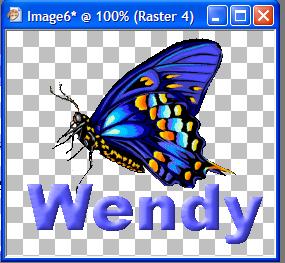
Graphic for this tutorial HERE - shift D to duplicate and close the original
Edit - Copy
Open new canvas 500 x 500 transparent
Paste as new layer on your new canvas
Layers - New Raster Layer - default
Add your text - a big fat font works best
Convert your text layer to Raster and add a bevel with this setting:

Crop away all excess canvas to end up with something like this:
You may resize to suit your purpose if you wish.
Now save your tile. Because we want to maintain the transparent background, we are doing something different to what we normally do.
Go File - Export - GIF Optimiser -

with these settings:

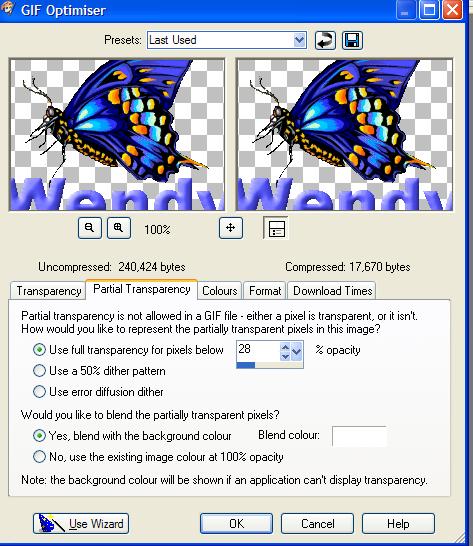

When you get the Save box, make sure you save as a GIF file - like this"

So you end up with something like this:

and when placed on a black (0r colored) background you get this:


This tutorial was written by Tzeriah - exclusively for the Wendy's Works Beginners PSP class. Any similarity to other tutorials is purely coincidental. Please do NOT share this tutorial outside the group.
Link to the tutorial should be Tutorial by Tzeriah as the link text and mailto:wwpspclasses@yahoo.com.au as the link. Thanks!
