|
|
|
|
|
|
|
|
|
|
|
|
|
|
|
||||
 |
|
|||||||||||||||||
 |
 |
 |
 |
 |
|
|||||||||||||
 |
 |
 |
|
|||||||||||||||
 |
 |
 |
|
|||||||||||||||
 |
 |
 |
|
|||||||||||||||
 |
 |
 |
 |
|
||||||||||||||
 |
|
|||||||||||||||||
 |
|
|||||||||||||||||
 |
 |
|
||||||||||||||||
 |
|
|||||||||||||||||
 |
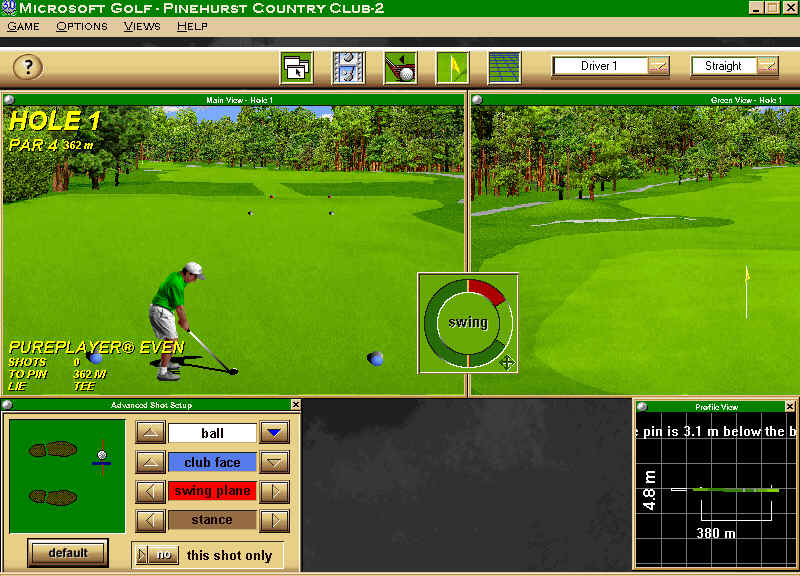
Welcome to my Microsoft Golf 3.0 Resources. I have played this game for many years. I even played on a few teams when this game was popular in the MSN Gaming Zone. When I first stared playing I didn't have the add-on courses, but my fellow teammates and players in general help me out getting them. Since it was kind of easy for me to get them I'm going to help out others in need. So check out my downloads page and enjoy!! |
|
||||||||||||||||
 |
|
|||||||||||||||||
 |
Helpful Layout
|
 |
|
|||||||||||||||
 |
|
|||||||||||||||||