|
Text Effects - 3D
Hollow Text
.
The DOWNLOAD file contains
the font I used for this.
.
Open a new file
Width: 300
Height: 200
Transparent background
Click the text tool and click it in the center of the
new file and select a font. I used Balloon XBd BT, Bold, Size 28 make
sure you check Antialias and make sure Floating is not checked. Click
ok. Go to SELECTIONS>Save To Alpha Channel when the first dialog box
comes up just click ok, when the second dialog box comes up type in NAME
and click ok. Go to SELECTIONS>MODIFY>EXPAND by 10 pixels. Now
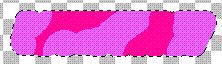
click the air brush tool  and
air brush it a bunch of different colors. I am using a bright pink and a
light purple randomly. Mine looks like this... and
air brush it a bunch of different colors. I am using a bright pink and a
light purple randomly. Mine looks like this...
Go to IMAGE>BLUR>MOTION BLUR and I used these
settings...
Direction: 331
Intensity: 25
Click ok. Go to IMAGE>BLUR>BLUR. Go to
SELECTIONS>LOAD FROM ALPHA CHANNEL pick the one we saved before. Hit
the Delete key on your keyboard. Go to SLECTIONS>INVERT. Go to
IMAGE>PLUG IN FILTERS>ULEAD WEB. PLUGINS>BUTTON DESIGNER-ANY
SHAPE. I clicked the down arrow one time and picked the second one from
the left  I used these
settings... I used these
settings...
Bevel Size: 200
Bevel smoothness: 2
Click ok. Click "Ctrl D" on your keyboard
to deselect. Now you want to pick a color close to the ones you used
before only lighter for your background color. Go to
IMAGE>EFFECTS>DROP SHADOW and use these settings...
Color: Background color
Opacity: 100
Blur: 10
Vertical: 4
Horzontal: 4
Go to EDIT>COPY, EDIT>PASTE>AS NEW IMAGE and
save it as a .jpg and it looks like this...

That's it. If you have any questions please just
ask...
.
Copyright © 2000-2001 by LovlyGypsy,
all rights reserved
| I, LovlyGypsy,
Give my permission to Ldy
Archrr aka Artists for PSP to place any and all tutorials
that I have made on her site.. this 22nd day of February 2001.
These tutorials were made solely by me and permission is mine
to give. |
|


