|
How to change a .jpg to a
.msk
.
The DOWNLOAD file
contains 13 .jpgs that can be turned into mask "
.msks"
.
Open PSP.
Here's the first pic that I will turn into
a mask...
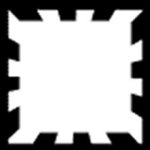
Now the original is a lot bigger than that. I
shrunk it down for this lesson. Ok, I opened it in PSP. Go to
MASKS>NEW>FROM IMAGE when the mask from box comes up, I
used these settings...
Source Window: This Window
Create Mask From: Source luminance
Check Invert Mask Data
Click ok. Now it looks like this...

Now go to MASKS>SAVE TO DISK when the Save
Mask Channel box comes up, pick your PSP Mask folder where it
says Save in: , give it a name where it says File Name: , where
it says Save As Type: it should says PSP Mask Channel (*.msk),
if it doesn't click the little arrow beside it and select PSP
Mask Channel (*.msk). Like this...
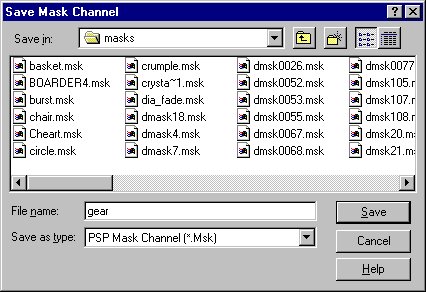
Now just click save and you did it. See,
that wasn't that hard!
.
Here's the .jpg's that are attached with
their file names and the original pic I masked...


If you have any questions please just
ask... |



