|
Batch Conversions
.Ok, as most of
you already know, bitmap or .bmp files take up alot more room on
your hard drive than Jpeg or .jpg files. I'm going to show you
how to turn a bunch of .bmp files into .jpg. Someone sent me an
alphabet set and it's 29 .bmp files and it's taking up 181KB of
space. Open PSP, go to FILE>BATCH CONVERTION. Ok, when the
box comes up it will say look in. This is where you find the
files that you want to change. Then you'll see a list of the
files. Highlight the ones you want to change. You'll notice
after you have done that, that where it says File name: will
have the names of all the files you want to change like this...

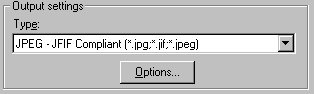
Ok, where it say Output settings Type: is where you'll
pick what type of file you want to change them to. I want to
change mine to .jpg files so I'll pick it like this...
Where it says Output folder this is where you want the
files to be put after they have been changed. If it doesn't say
where you want them to go click Browse and find the file you
want them put into. I want mine to stay in the same file so
thats what I picked like this...

Now this is what mine looks like...
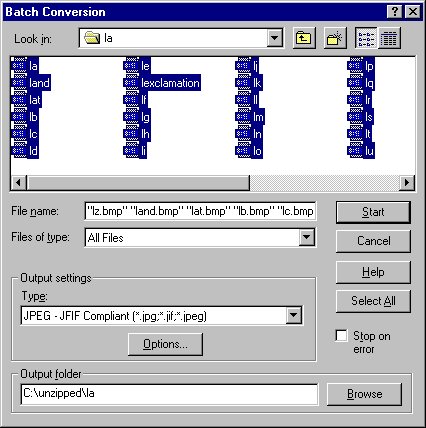
Now I'll click Start and a box like this will come up and
it will change the files...

When it's done just click ok. I changed my files into the
same file the .bmps were in so now I have 2 sets of the alphabet
in that one file. One is the .bmp's and the other is the .jpg's.
Now I need to go to Explorer and open that file and delete the .bmps.
I still have 29 files in there but now they're only taking up
77.7 KB on my hard drive.
That's it.
If you have any questions please just
ask... |