Microsoft QuickBASIC Beginner's Tutorial - Introduction
This is the Microsoft QuickBASIC Tutorial! This is the first tutorial I have ever made, so I will do my best to explain the more complicated concepts. I will also make several assumptions with the tutorial:
- that you have a PC running Windows and
- that you have Microsoft QuickBASIC 1.0 or greater installed.
If you don't have it you can get it from here.
Before you start the actual tutorial, you should be able to use the program. Start up the program. You will see something that looks similar to this.
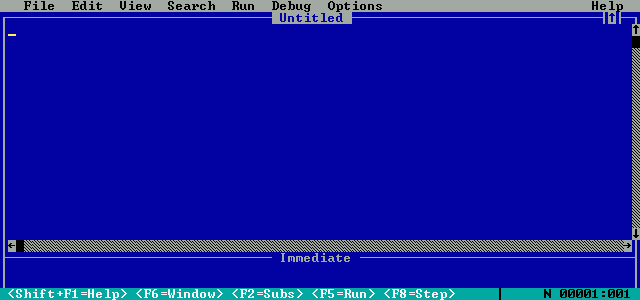
Now, if you see QuickBASIC in a window, press Alt+Enter to switch to full screen mode. This works with any DOS program. To view the web browser, you can use Alt+Tab. This also works with any program.
Now, you should explore the File menu.

it should be obvious what these items can do. One thing about saving, though. Filenames have to be in 8.3 format. That means that you can only have 8 characters in the filename. The extension is automatically .bas.
<<- Previous Next ->>

