
~*~PAGE 4~*~

Okies...so you wanna know more huh?
*G*R*E*A*T*
OK now you will need to open up
some piece of work that you have done already, I chose a nice wood frame and floodfilled it with the same wood texture
.
Click on your tubes tool  and find your tube, you will need to adjust the size or SCALE, to look *right* on whatever piece or work you wish to *BRAND*

NOW click on your layers  and add a new roster layer with these settings, name it copyright and add a new roster layer with these settings, name it copyright
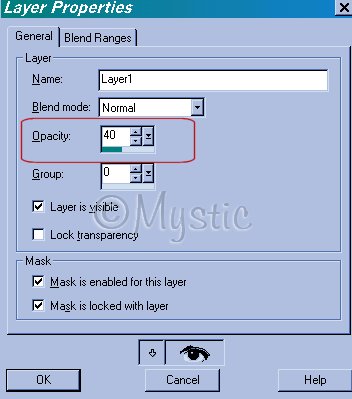
AND PAINT your Copyright Brand
on your work...since it's a separate layer, you can choose your MOVER TOOL and move it around, or resize, etc. :)
But in order for the copyright to look right and either stand out or be barely visible all you need to to is play with the opacity settings:

Here are some samples:
AT 40%
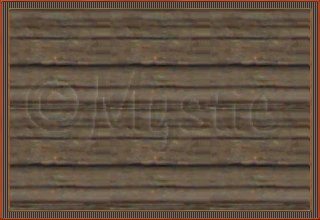
At 57%
And at 75%

When you have it the way you lik, just merge visible layers, and you're done!~~
Hope you learned something useful!~
THANKS for doing our tut!~
© 2000-2001.
By ~*~Mystic~*~, for DCS
No portion may be reproduced or removed without prior written consent.
Please respect our work as we respect yours!
|
|

