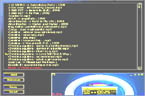
We are currently working on skins.
But we
developed an "almost" functional html skin.
If you
would like to see this skin you must have:
Microsoft
Internet Explorer 40 or higher (sorry for
Netscape Users but Netscape Comunicator does
not suport ActiveX Contols)
asxPlaylist.ocx
downloaded and registered on your system (how to do that?)
Multimedia
Dashboard downloaded an runned at least once
on your system (it's recomended that you have
some files in playlist)
Click here to see and use Multimedia Dashboard
Html Skin
How to register
asxPlaylist.ocx?
First
download asxPlaylist.ocx form here to your
dirve:(windows)\System directory.
After you have finished downloading click the Start
button then click Run. Then type :
regsvr32 C:\Windows\System\asxPlaylist.ocx
(assuming that C:\Windows is your windows directory)
Warning : ActiveX Controls may
harm your system if you trust AsteriX Software you
may use if. If not you must not use it. AsteriX
Software cannot be held responsable for possible
damages !