| Difference between WSS 3.0 and MOSS 2007
SharePoint is one of the buzzwords that are used almost in every office. When a newbie enters in the world of the SharePoint technologies, one of the first questions is: “What is the difference between the available distributions?” Generally there are two main distributions: Windows SharePoint Services 3.0 (WSS) and Microsoft Office SharePoint Server 2007 (MOSS). This article compares the WSS 3.0 and MOSS 2007 and outlines the differences between them. The long story short: WSS comes as a free download if you have Windows Server 2003 or 2008. MOSS is build on top of WSS and must be purchased separately. Depending on the version (Standard, Enterprise, etc.) the license can be a significant financial investment. For details about difference licensing scenarios, you should contact your local Microsoft representative, because the licensing can vary if your server serves internet users or only intranet requests. Bellow I will summarize some of the most important features of both distributions. Features of WSSWSS is a collaboration platform, primary used for sharing and managing information and documents via a web site. The following are the most essential features:
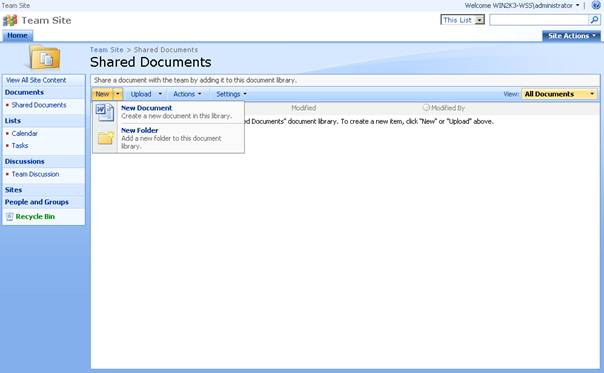
Figure 2 Documents library Features of MOSSMOSS installs on top of the WSS and extends the provided features. The major additions are :
The MOSS is distributed in several editions: Office SharePoint Server 2007 for Search, Office SharePoint Server 2007 Standard and Office SharePoint Server 2007 Enterprise. Logically not all of the features above are present in each version. More information about different MOSS versions can be found at Microsoft. This article outlined some of the major differences between WSS and MOSS. If you are looking for detailed comparison, you should download and review the information distributed by Microsoft. Submitted by Stephan Zahariev http://www.sharepointmonitor.com/2010/01/difference-between-wss-3-0-and-moss-2007/
|

 Figure 1 Sample WSS site