Using the MSN search can be complicated. You may have trouble coming up with a search term or finding out how to submit your request for information. You may also find difficulty in reading this information or figuring out exactly why the heck you are using the MSN search after all. Fear not, I have devised a simple explanation of this contraption so that you may use it to it's full capability!

This is the MSN homepage. It is full of worthless links to places you don't want to go and lots of media jargon about stupid things you don't want to read about. Ignore all that and focus on the main thingy. The search engine.

This is the search engine boxy dealy. Imagine that.

This is the section you type in. In just a minute you are going to be typing something in the box. This box is for search terms. The search term we will be using is "Yahoo". Yahoo is also a search engine. By using MSN search we can find Yahoo.

Type Yahoo. Click the box.
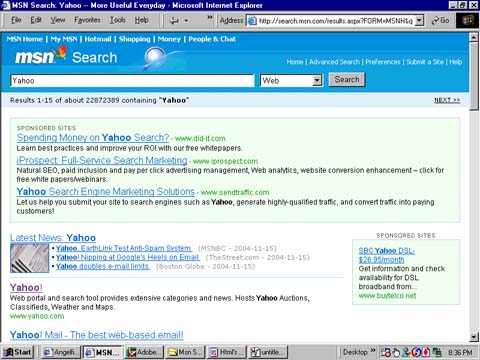
Theese are results from the search. Most of them are crappy but there is one that is good.

This one.

Click it.

Now you are at the Yahoo home page. Much better than the MSN home page. It has stuff on it.

Type your actual search query here. I can say "query" instead of "thingy" because you are now more knowledgable about the way the internet works than you were at the beggining of the lesson.