Saturday Feb. 23, 2002
While taking a break from my top secret project (don't worry
you'll see it eventually) I started playing around with some new dings
I found, and this is what came of it. I'm not sure what I think of the
rest of it yet but the background sure is great isn't it! It's inspired
by wall art I saw in a movie once. No lol I can't recall the movie but
be sure it was chinese subtitled drama. Anyway hope you enjoy this set!

 
these are for mouse overs I haven't got timeto code them but I'll come
back to it later
 
these are mouse over bullets aren't they cute!!
How to do it on your own: In photo impact 6 I used 2 dingbats called BR
Doodles and BR primatives along with a preset of my own making wich will
eventually be avalible once I update the site in a few weeks (yay new features
and tons of new presets!). The background was created by first slapping
down a ding then applying the preset then using the fill gallery I picked
out something that looked like it would tile (yay first try and it worked).
Then I cropped off all the extra space around the ding so that it would
be seemless. That was done in a matter of seconds (it's so easy I'm ashamed
of myself). Next I did the buttons and bullets by using the same preset
with BR doodles and the shape tool. this time i used the selection tool
and applied the filter to the middle of the image. Then i merged all and
copied the image into a new file and saved it. Going back to the original
piece I undid merge all and pulled the fill out of the center so that it
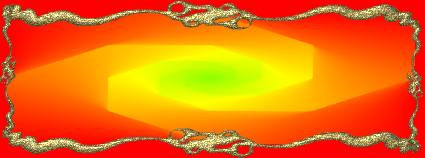
was just red and saved the file. For the banner I used the shape tool and
another ding called Floral3 (can't remember where i got that for the life
of me if you know please drop me a line). After I created the base shape
I slapped the ding onto the side and resized it with the warp tool to my
liking. Then I converted the shape to an image and used the erase tool
to get rid of the excess line that got in the way of the ding. Very easy
stuff to work with. By the way, photo impact 6 is a very inexpencive program
and even more so now that version 7 is out in stores. If you would like
to make your own art that is the BEST program to use by far! |