
Samantha Art & Media Products
Created in Photoshop
| Colourizing | Collage | Modifying Images | Photoshop Screen |
 |
Colourizing To the left is the original image that a client had brought to us. After our team carefully selected a colour scheme, to the right is the image after our artists were complete. Our team uses photoshop to adjust the original settings of images. |
 |
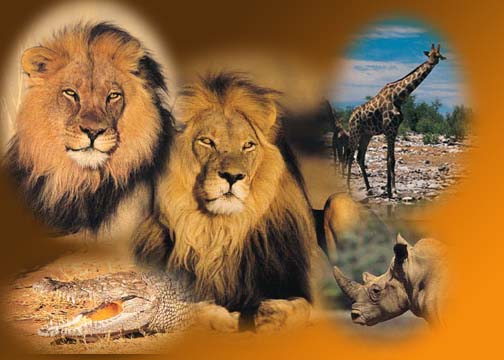 |
Collages The image to the left is a collage made by our team at S.A.M. Graphics. The images were extracted from several other files and put together in the form of a "safari collage". These images were brought to us from a client and they described the event it was needed for and our design artists created this collage. Our team used Photoshop to arrange the images and create the effects. |
 |
Modifying Images To the left in the image when it was first brought to us. The client asked for a mix of many technical clocks or measuring tools. Our team used photoshop to retrieve those images and create this image to the right. |
 |
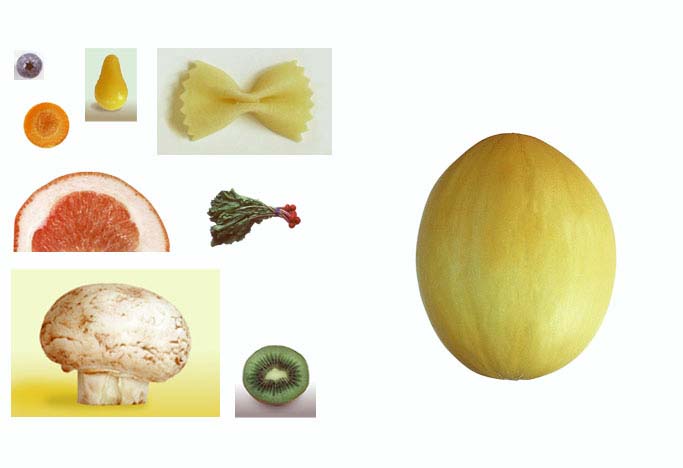 |
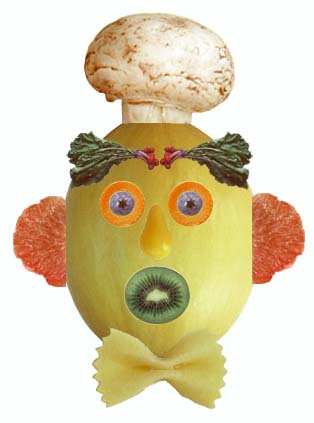
To the left is a collection of vegetable images that was given to our artists at the studio. The client asked for a creation of any type to be made with these images. To the right is the creation of the artists at our company. The artists created the face out of the vegetables and this was all done, again, in Photoshop. |
 |
 |
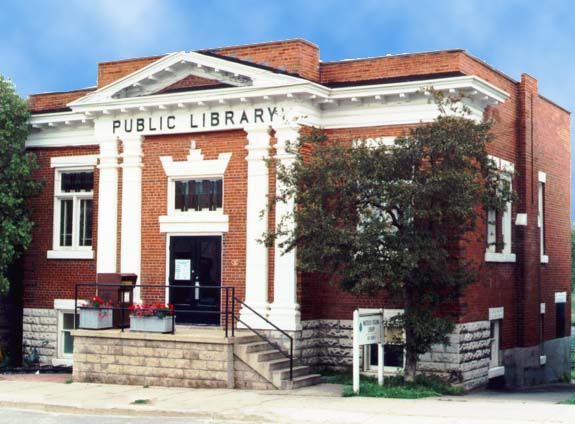
To the left is the original picture of the public library in a clients home town. The customer requested that the picture be asjusted approiately so that the day would look sunny and the surrounding area would look appealing. Our artists modified these images in Photoshop to satify the client. |
 |
Photoshop
Screen Layout

| Colourizing
| Collage | Modifying Images
| Photoshop Screen |
