
Foobar2000 is undoubtedly the best audio player
program available, despite it's humble 'notepad' looks (which is fully
customable, btw). Among its many qualities are playback quality, eficiency,
flexibility, database, support for many audio formats without need for plugins,
and last but not least it can be used for many tasks (retagging, converting from
one format to another, also called "transcoding", ABX for codec listening
tests).
The tutorial below uses the foobar2000 version preconfigured by Case. Other versions will work too, but you might need to look for extra plugins (like the cli encoder to transcode).
Press ->
Foobar2000 tab -> Preferences
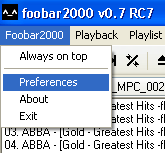
A
window pops up:
-> Foobar2000 tab-> Preferences -> Core
Note: the following step is not necessary. It is meant to avoid that Cue sheets are played by Foobar2000.
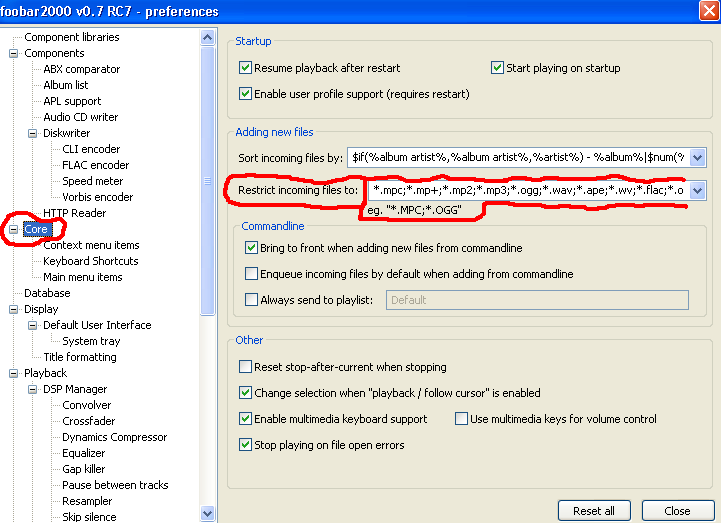
In
the field of : Restrict incoming files
to:
Example (copy & paste):
*.mpc;*.mp+;*.mp2;*.mp3;*.ogg;*.aac;*.mp4;*.m4a;*.wav;*.ape;*.wv;*.flac;*.ofr;*.shn
This line tells foobar2000 which files it should play (e.g. *.mpc, *.mp+, *.mp2, ...) and which ones it should ignore (e.g. Cue sheets).
Feel free to type in your own line, which is a number of audio format extensions, separated by ';' (note: no empty spaces allowed!). 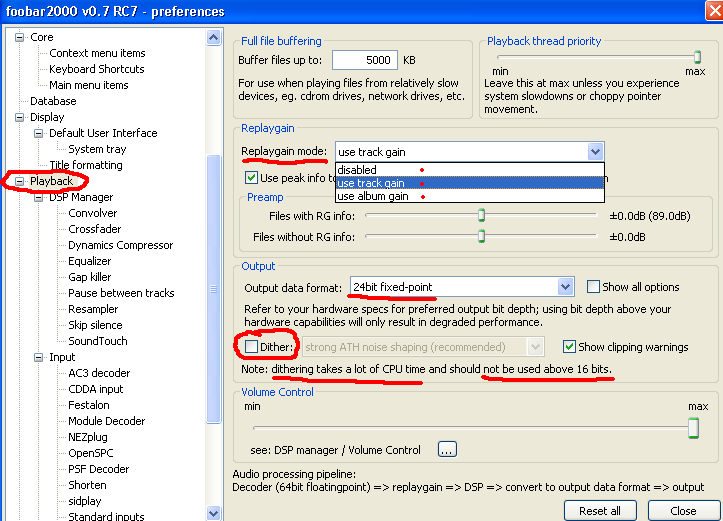
In picture above you see a typical configuration, if your
soundcard can decode or pass through 24 bit
signals. Then you should disable dither.
Here you can also select your desired ReplayGain mode, or disable
ReplayGain at all.
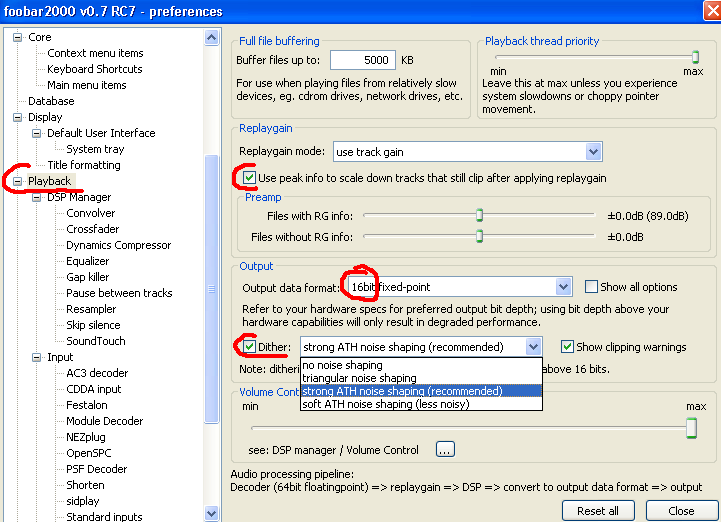
In picture above you see a typical configuration, if your
soundcard can decode or pass through 16 bit signals as
maximum bit depth. Then you should enable
dither. If you have good hearing, you could try to ABX
original wave files, undithered, with strong ATH noise shaping, with soft ATH
noise shaping… (such a test setup needs an exact preparation, see
www.hydrogenaudio.org)
Here you can select your desired
ReplayGain mode, too, or disable ReplayGain at all.
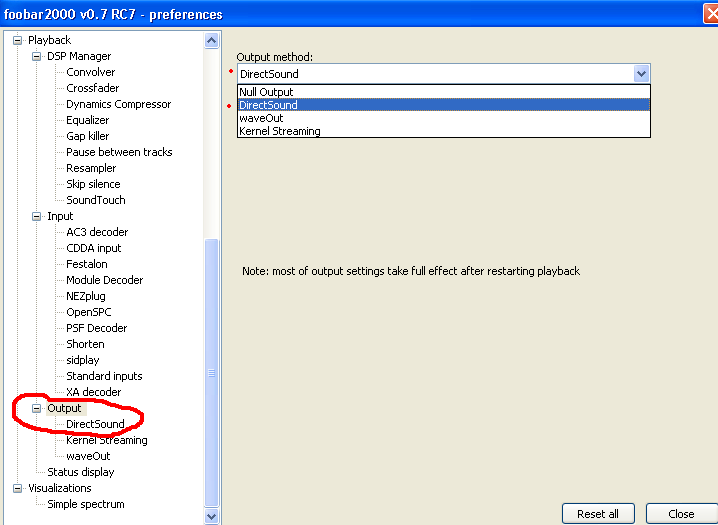
A preferred method is DirectSound, if available with your soundcard.
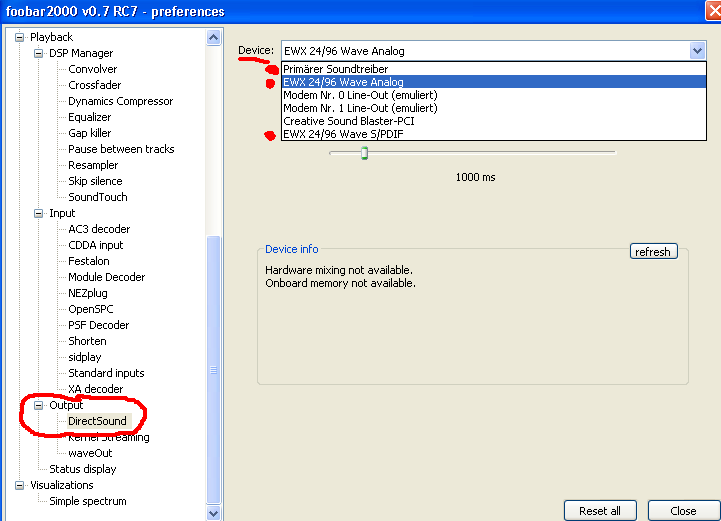
As example here are 2 soundcards inside this PC, Creative
SoundBlaster-PCI (16bit stereo) and the much better quality soundcard Terratec
EWX 24/96 (with digital & analog in & out). So, now it depends on
your goal which device you select, whether you want to feed an external
Amplifier / decoder with pure digital music (e.g. Harman Kardon AVR 5000 or
Denon 1801)
or feed it to an external
analogue amp (e.g. Denon PMA 1060).
The digital amps should
be connected by e.g. optical cable with soundcard, and then select EWX 2496 Wave
S/PDIF as output.
Analogue amps would prefer EWX 2496 Wave Analog.
And
similar for various soundcards etc.
(Foobar will show you the possible
devices.)
You have another general possibility as alternative: Primary
Sound Device / driver of windows.
Then you can switch in windows sound
settings the devices, if you have the choice of several soundcards or outputs,
digital or analogue.
But with Foobar2000 and Direct Sound, you can switch
output device on the fly during playing. This on-the-fly switching is another of Foobar's advantages (no restarting needed).
> REX Guide Main Page
