
Does Outlook Express Hang up or terminate internet connection after you send and receive your emails? There is an easy way to stop that action.
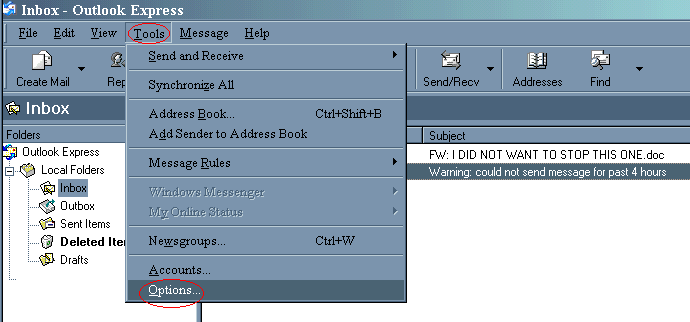
Click on Tools and choose Options. See red circles in illustration below.
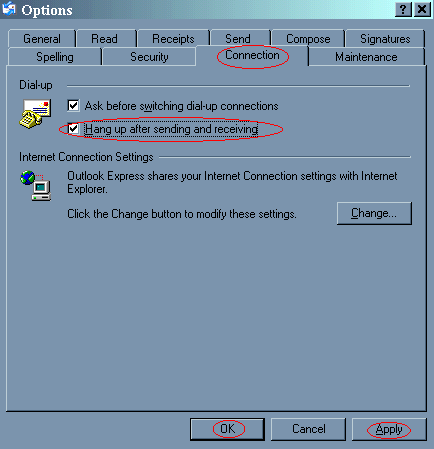
The Options window will open. Click on the Connection Tab. Remove check mark in box next to Hang up after sending and receiving. Now click on the Apply and then the OK buttons at the bottom.
Outlook Express will not terminate your internet connection in the future now.
