
Are your attachments lost? Do you get an error saying "OE removed access to the following unsafe attachments in your mail...." Follow these instructions to gain access to your attachments again.
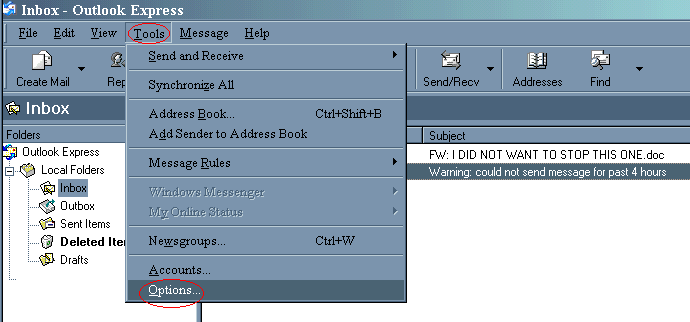
Click on Tools and choose Options. See red circles in illustration below.
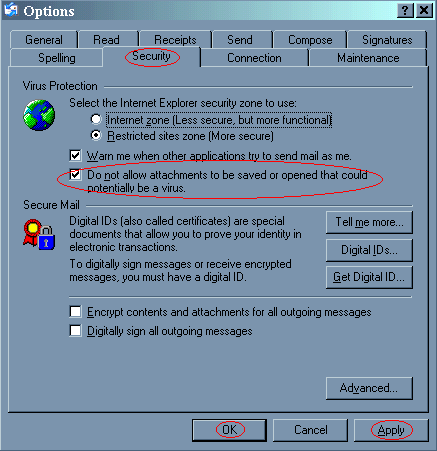
The Options window will open. Click on the Security Tab. Remove check mark in box next to Do not allow attachments to be saved or opened that could potentiolly be a virus.. Now click on the Apply and then the OK buttons at the bottom.
All of your missing attachments should be accessible to you now. And all future attachments will be available too.
