
Qt not only supports GUI, but also it hides the "application - OS" interaction. Qt provides platform-independend functions for file system access, time/date access and TCP/IP sockets access.
Drawing Engine. Qt has a platform-independend drawing engine (implemented in class QPainter), which has cashing mechanism for speeding up of a painting process. In Qt/X11 graphical contexts are cashed. Such engine often works faster than programs using X11 functions directly. The library is optimized for fast running and reasonable memory using (Qt/X11 uses Xlib function directly).
Event handling. Superclass of all widget classes (named QWidget) contains virtual functions for mouse and keyboard events handling, which may be overrided in superclasses.
Signals/slots. Object-oriented Qt library
provides convenient class reusing, because every object interacts with
the outside by "slots" and "signals". This method of interaction provides
to any object more of independence of other objects. When the object state
have been changed and the object need to note the outside about it, it
sends the appropriate signal. Then it proceeds to work not "paying attention"
what exactly object will receive the object signal and when. Slot is a
class method intended for calling by a signal. A class "doesn't know" what
signal calls it's slot. Any Qt object has a signal set and a slot set.
Signals and slots of an object or different objects are connected each
to other by a special function (QObject:: connect()) inherited from superclass
QObject. So, objects live independently, and they don't "know" what objects
are connected to their signals and slots at any moment. It's allowed to
connect any number of signals to the same slot and vice versa. Signals
and slots are not more slowlier than an ordinary function calling.
Slot/signal mechanism is a convenient alternative to callback functions.
Besides, this mechanism is attractive for the model-view-controller design
(MVC). C++ code necessary for a slots and signals handling is generated
by the special compiler moc (Meta Object Compiler) on the basis of a header
file.
The library supports creating of applications which is convenient for
internationalization. Internationalization is performed with string translation
tables. Translation table contains the pairs of the corresponding strings
on the different languages. Qt provides a full support of the 16-bit code
table Unicode.
Flickering is a problem of any GUI toolkit. Flickering gets visible while several repainting operations occur sequentially. Qt solves this problem using buffering. At the beggining, all necessary repainting operations are performed in the memory area contained the screen pixel map (pixmap). Then the buffer contents is painted on a screen by the only fast repainting operation. Sometimes a part of a screen is painted. So, the most effective way to repaint is chosen from time to time.
Fonts. Qt uses the fonts available in X Window. A font is defined by its attributes. In cases when described font is unavailable, Qt uses the most matched to one. Qt contains the special class (QFont) to describe a font.
Widget styles. The library supports widget
styles (sets of features, which define the GUI look and feel). Style can
be changed to other one at run time.
Qt provides the following styles: Motif, CDE, Windows, Platinum and
other.
Documentation. Documentation is available
as man-pages and as a Postscript text.
The product contains programming examples "step-by-step" for newbies.
There is on-line reference on the company's site.
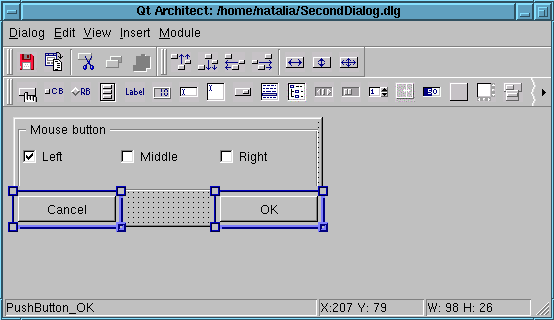
Figure 1
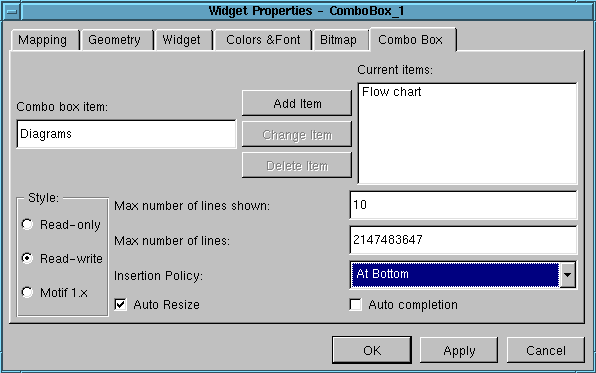
Figure 2
For positioning of widgets inside of a dialog a developer can use layouts. Sizes of widgets inside of a layout are corrected every time layout size is changed. As the first step, the whole dialog layout are created, as the next steps, you include to the "main" layout other layouts, spacers or widgets. The latters are included to a layout from the list of widgets placed in the dialog. After including to a layout, the widget disappeares from the list. (fig 3.)
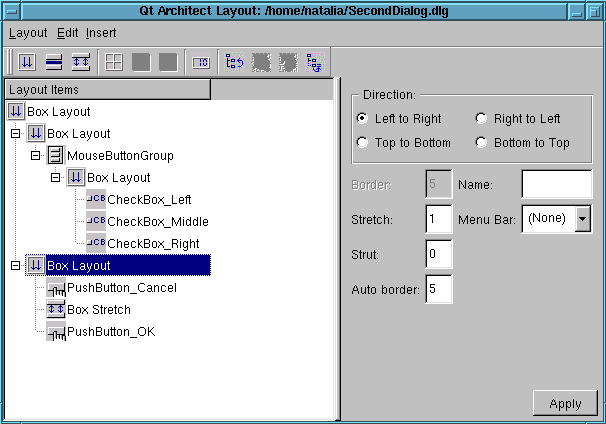
Figure 3
Layouts are of types:
Additional widgets are included in Qt Architect as "modules" (shared
object files). Modules implement the functions, which allow Qt Architect
to use custom widgets for dialog development, that is to set up properties
values, to save the widgets in dialogs, to generate C++ code implementing
the wigdets, and so on.
How to create your own modules is described into documentation. Documentation
also advaces to use the source codes of the widgets included into Qt Architect.
Additing of a new widget is performed by means of Qt Architect setting
up.
Documentation on using of Qt Architect is available in Postscript format; documentation on the widgets properties is available in HTML format.
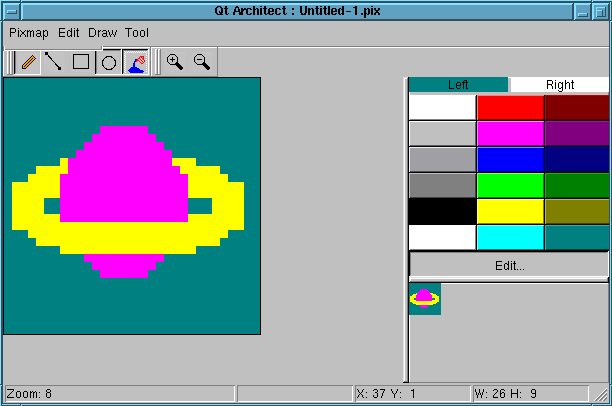
Figure 4
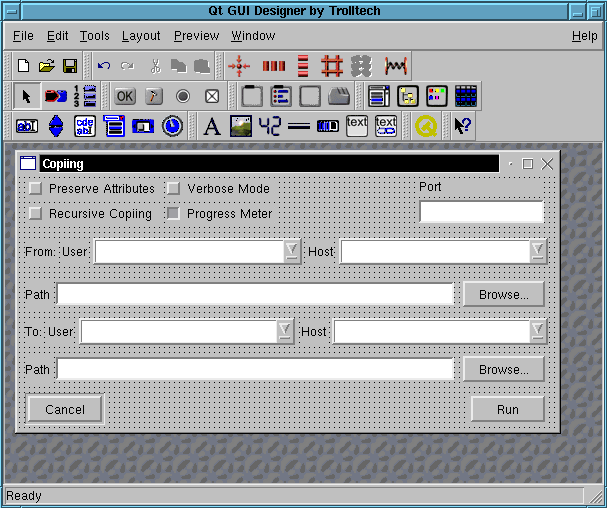
Figure 5
So, let's consider the specific features of the product.
Dialog development includes not only widget arranging in a dialog,
but also connecting slots and signals of the widgets. Unfortunately, Qt
Designer allows to connect slots and signals of the same dialog. Connecting
of slots and signals of different widgets is performed in C++ code. Qt
Designer allows a developer to view the full list of connections for all
dialog widgets. Layout managment is different than one in Qt Architect.
In Qt Designer layouts are built another way. As the first step, you mark some widgets (that is you incorporate them in the group), and as the second step, you mark this group as the layout of required type:
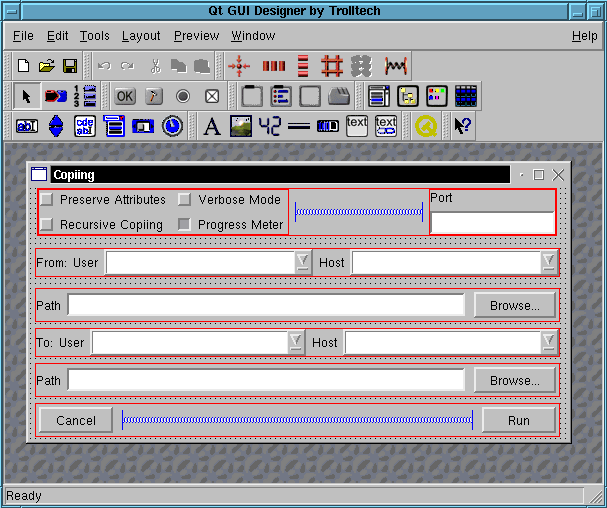
Figure 6
So, a widget group allows to incorporate widgets into a layout, and group can be moved inside of a dialog. Qt Designer supports internationalization: during C++ code generating it uses function Object::tr() for translating of string to a target language.
Qt Designer can use third-party or your own widgets for dialog developing
on condition that these widgets are described in XML format and are saved
in a file with .cw extention. This file contains the specific features,
the slots, the signals, header file name and other data of the new widget.
Qt Designer will show common widgets features in the properties window
automatically. Qt Designer transfers data from a .cw file into a dialog
file. Because of Qt Designer is not informed how to show custom widgets,
it shows the latter as icon.
Tab order setting up is fulfilled simply and convenient in special
mode. All of dialog widgets are marked by number mark according to an initial
tab select order. This order is changed by mouse clicking to number marks
on widgets in the necessary order. (fig. 7.)
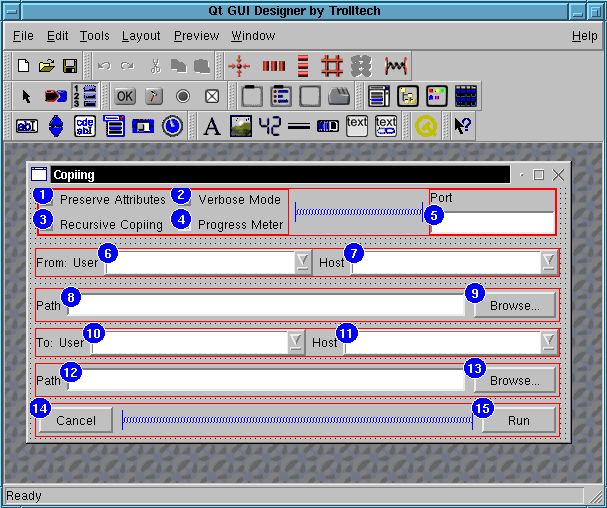
Figure 7
A dialog can be shown in various styles: Motif, CDE, Windows, Platinum and other. Dialog preview is performed immediately (it doesn't need in the dialog compiling).
Other the useful features of Qt Designer:
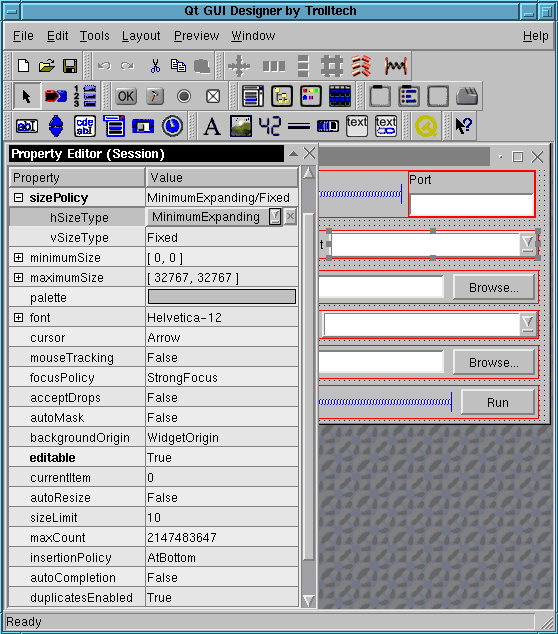
Figure 8
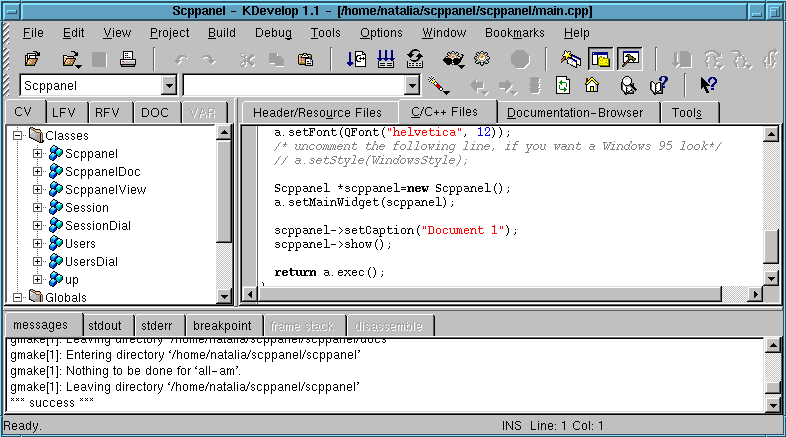
Figure 9
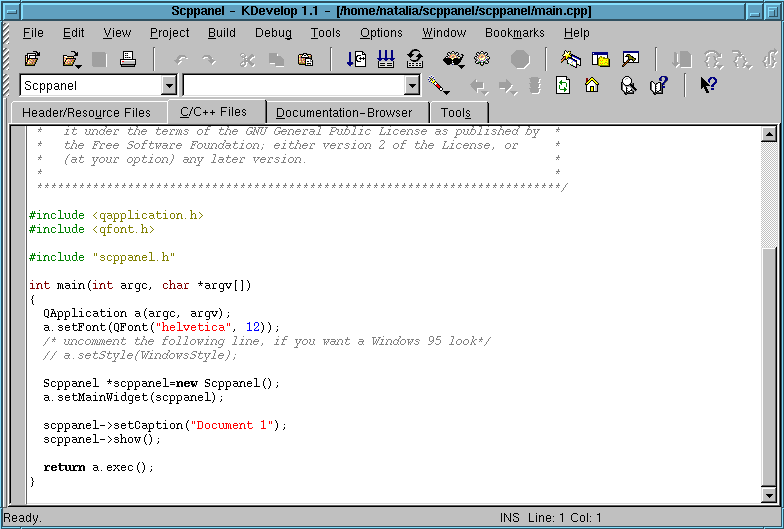
Figure 10
KDevelop has the embedded editor for WYSIWYG creating of dialogs. The editor is not enoght mature: it provides a few quantity of widgets (of Qt and KDE), it doesn't provide widget layouts and widget group operations. KDevelop saves dialogs in files of internal format and then generates C++ code choosing the class mentioned in generating options as the superclass.
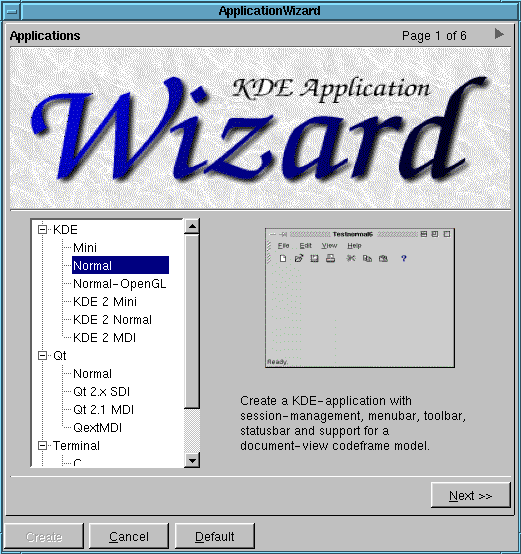
Figure 11
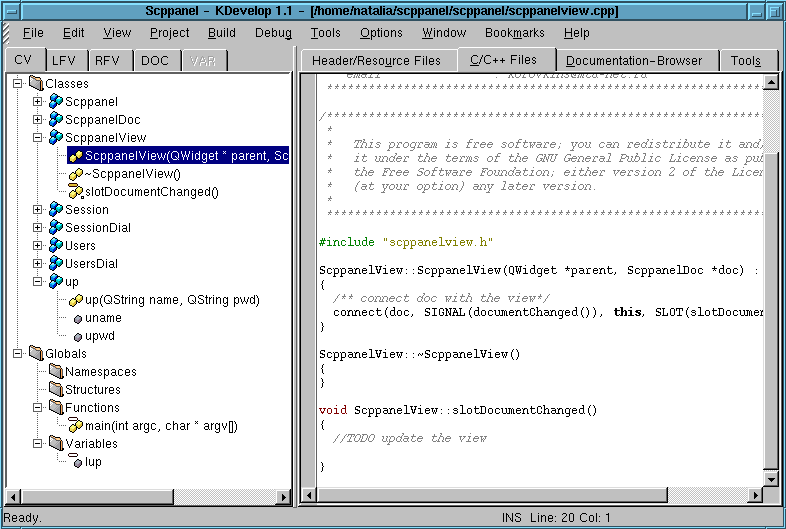
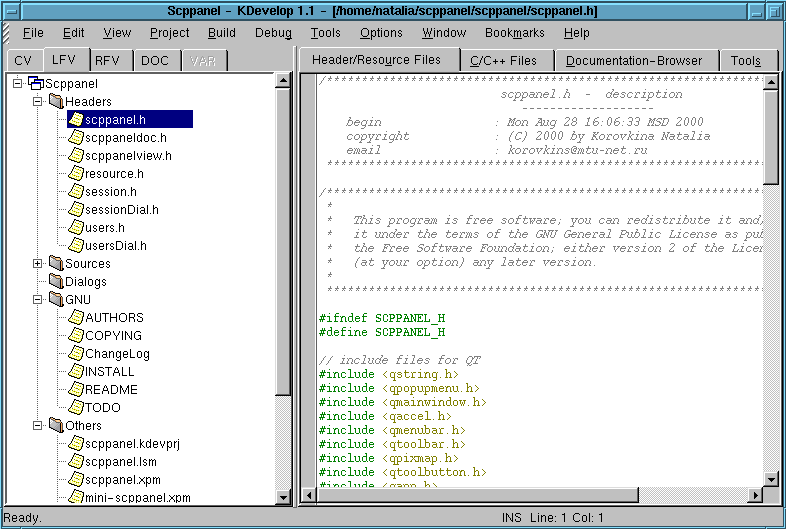
Figure 13
File Manager allows to manipulate files: to remove them from disk, to include them to a project or to remove them from a project. If a project uses CVS, it's allowed to perform the following operations with the project files: Update, Commit, Remove from Repository, Add to Repository.
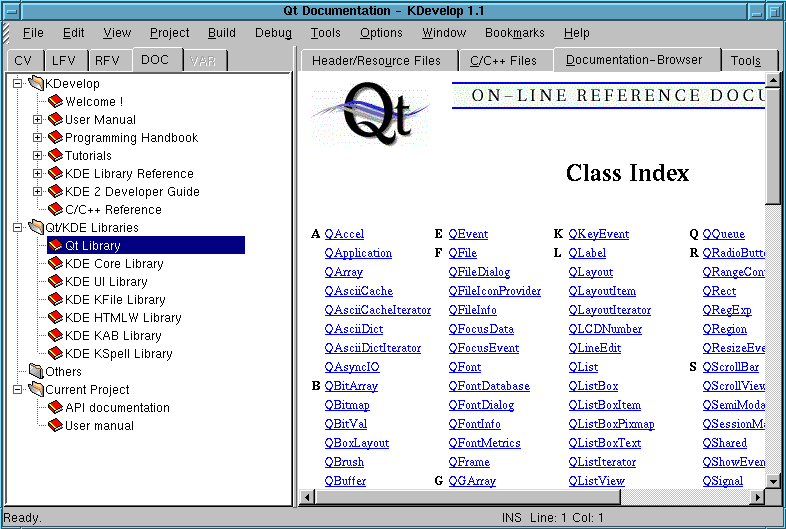
KDevelop has the embedded documentation browser. Documentation is shown
in the shape of "tree". The browser contains documentation on Qt liblary,
KDE library, on KDevelop and on a current project.
KDevelop allows to create the User Handbook in SGML format and to generate
one in HTML format. The environment allows to generate HTML documentation
on a project API with links to the used libraries. (fig. 14) KDevelop has
the help system, providing Hints, "What's this?" and hints in status bar.
