Pictures and Links
Pictures:
To add a picture to your site, you can do one of two things:
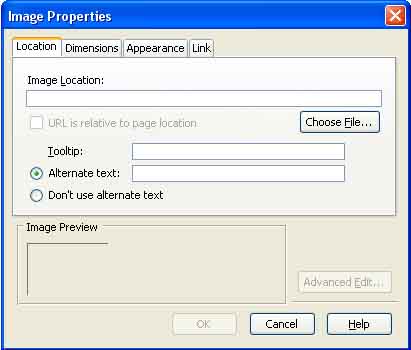
1. You can go to Insert, Image, and then a window will come up
that looks like this:
Click the Choose File button, and find
the image that you want to insert on your site.
After you have selected your image, add an alternative text, which
tells what the image
is, incase someone can't view your image. After you have done all
this, click OK, and
then indent your picture left or right to center it, so it looks better.
2. You can click the Image button on your tool bar, found right
under the help tab.
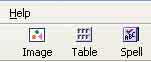
When you click the bottom, the same tab
will come up as before, so just follow the same
procedure to get your image inserted and placed how you want it.
Important Note: When you have
inserted an image to your site, make sure that you do
not move the image from its location. If you do move the image
from its location after you
have put it on your site, then it will break the link, not letting
people to see the image, until
you relink it.
Links:
When you add a web site link to your site, use the sites whole URL, or
atleast the site's
name when you link to it, so people know where they're going.
Try to avoid making links to other sites with the link having nothing
to do with the site.