
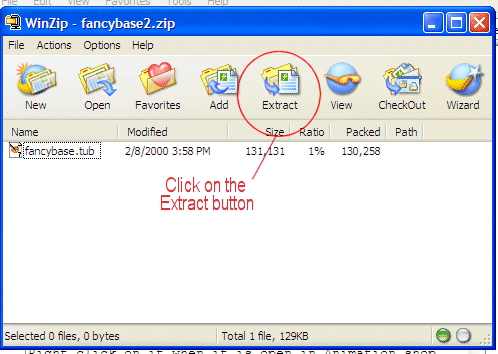
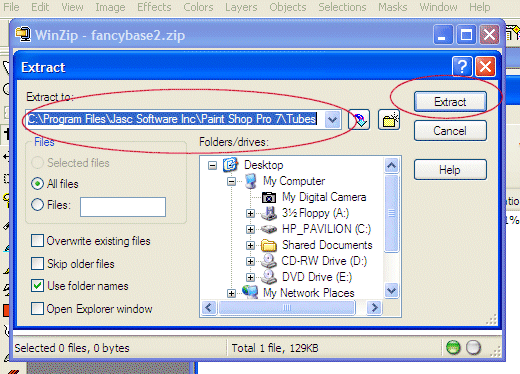
Drop down the "Extract to:" arrow.
And find your Tubes folder, This is when you save something to your PSP folders, then hit your Extract button.
Then close out your next screen.
~°~°~°~°~°~°~°~°~°~°~°~°~°~°~°~°~°~°~°~°~°~°~°~°~°~°~°~°~°~°~°~°~°
Point of insturction.
Make you a folder for all your PSP downloads, i.e., zipped tubes, brushes, graphics, and make sub folder inside it for each to keep order. Then when you extract, you will extract it to the PSP folders.
Don't try to download any graphics in your PSP folders.
The only thing that goes in PSP folders are Plugins, Patterns, Gradients, Frames *extracted into*, Tubes *extracted into*, Brushes, Textures....things like that.
Fonts go in your c:/Windows/Fonts/ folder..not PSP.
Okies, I hope I cleared up some questions.
