|
| right so far we have covered how to change
the colours and colour settings and how to grab parts of other avs, the
last thing you need to know for basic customising is how to change the size
a size code starts with an S then has 3 letters after it which change the hight, width and length of the body part or if applied to the P setting (pelvis) the whole av size |
| VIPAVATAR=avatar:axel.0EC__C_FC__C__C_QC__LbMbOaRbUbVaWeXeYIeJeKBbPeSYYYNS000QaHDgT2axelT3T2T1Q0f.rwg |
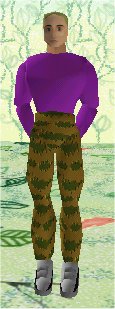
| this will make good old axel into a giant |
| VIPAVATAR=avatar:axel.0EC__C_FC__C__C_QC__LbMbOaRbUbVaWeXeYIeJeKBbPeSzzzNS000QaHDgT2axelT3T2T1Q0f.rwg |
| where this one will make him very very small |
| the sizes run from Y which is the largest possible to z which is the smallest possible |
| YXWVUTSRQPONMLKJIHGFEDCBA0abcdefghijklmnopqrstuvwxyz |
with the 0 in the middle being
standard size for that av ...(the 0 is a number not a letter)
|
| VIPAVATAR=avatar:axel.0EC__C_FC__C__C_QC__LbMbOaRbUbVaWeXeYSYYYIeJeKBbPeNS000QaHDgT2axelT3T2T1Q0f.rwg |
| will give axel a huge foot and this can be applied to any part of the av (remember the pelvis will make the whole av change not just the pelvis) |
|
| line before: |
| VIPAVATAR=avatar:axel.0EC__C_FC__C__C_QC__LbMbOaRbUbVaWeXeYIeJeKBbPeNS000QaHDgT2axelT3T2T1Q0f.rwg |
| line after: |
| VIPAVATAR=avatar:axel.0EC__C_QC__C__T4achooC__LbMbOaRbUbVaWeXeYGrayIeJeKGrayBbPeNS000QaHDgT2axelT3T2T1Q0f.rwg |
| the best thing to do now is go away and have an experiment with these things, its the best way to learn :o) |
|
|
|