Installation method
| So as to install REVIVE!, it enforces the next seven steps. |
1 |
Download |
At first, it downloads a source code. Please download either of a text format or ZIP archive format from download page. (Please expand a file as using WINZIP, when you downloaded ZIP archive format.) |
2 |
File Transfer |
It does a file transference on MVS for a source code. A method to do a file transference doesn't describe it in detail here, as being various by the environment.
If it says as being nothing like Japan, English lower-case character will be converted into Katakana if it uses Japanese 3270 emulators. This case whether it does a file transference with an other method or not, it changes a mode of an emulator into English lower-case character mode please do a file transference. |
3 |
Select |
The file that a transference ended is necessary for an environment to make a correction as fitting it. Please display a change point, as inputing the following command with an ispf editing screen. |
4 |
Modify |
Line displayed by a screen, is necessary to change it as fitting for an environment. |
|
jobcard |
Please do JOB sentence correction as fitting it for a useful environment. |
||
user.catalog |
Please specify a user catalog, if being necessary. |
||
serial |
Please specify a disk to use a library for a preservation and a work use. |
||
object.library |
It specifies a library name to make Object module. |
||
module.library |
It specifies a library name to make Load module. |
||
panel.library |
It specifies a library name to make ISPF Panel library. |
||
clist.library |
It specifies a library name to make Clist library. |
||
isp.sispload |
It specifies Load Module Library of a current useful ISPF in your environment. |
||
5 |
Make |
It makes SUBMIT for JCL that correction ended. A code must be less than 4 with all STEP. |
6 |
Setup (Optional) |
You can designate the following three datas sets as Logon Procedure that you use. ( one except Clist doesn't need it especially as being dynamic, specify it in REXX Program inside, but, in case that it doesn't designate Clist as Logon Procedure, an execution way of a program changes.) it recommends an only Clist to what it specifies if being possible it is necessary to do the second LOGON inevitably, in case that it revised Logon Procedure. |
7 |
Test |
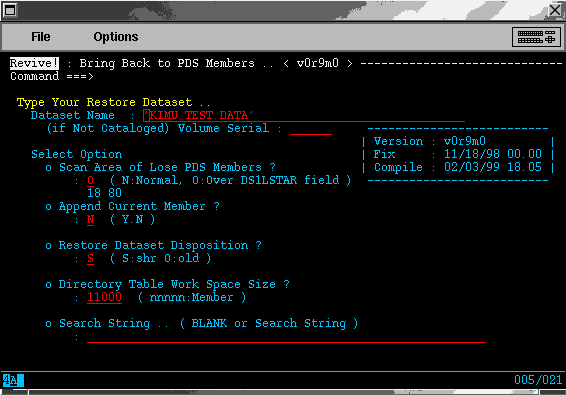
Please execute the following whose command with a command line of ISPF. ( in case that it doesn't designate clist.library as Logon Procedure, it can't make a call if not being 2 way.) in case that a Screen Image was displayed, normally introduction is completed. |