

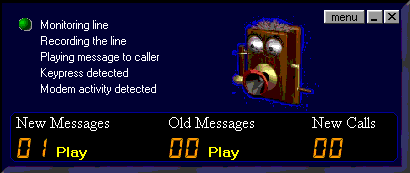
 Smart Answer is the newest program to come out of UK SOFTWARE.Smart Answer is more then just an answering machine for your pc. It is also a call interrogator.Are you fed up with people calling not leaving their number,keeping their phone number shut out of your caller id...or getting unavailable calls? If you have caller id and someone calls with out of area or number witheld Smart Answer will talk the call and ask the caller to punch in their phone number..while at the same time showing you the number they are calling from (plus the picture of the caller if you have assigned one ).This give you a chance to answer the call before a message can be left.And as soon as it is availiable Phony (pic above) will be featured with Smart Answer....Phony will be featured with Smart caller as soon as he is ready this software can be registered....for only $14.99OR $30.00 for the CD ROM shipped straight to you anywhere in the world with more then 50 characters + a lot of other neat stuff sent along with the cd. So what are you waiting for click the banner with PHONY ,ABOVE and get your copy today !!!!!!!!!!!!
Would you like to see screen shots of Smart Answer just click here 
 Have you ever wished that your Caller ID box would speak the callers name and number out, instead of you having to run over to the CID box every time the phone rings. How about keeping an unlimited calls log of who called and when, on up to 4 independent telephone lines? How about matching the callers number to your telephone directory and announcing the callers name or a message when they call? Here's the ultimate, how about getting the callers name and number even when you don't subscribe to the caller ID service from your telephone company!
EVEN IF YOU DON'T SUBSCRIBE to your telephone companies caller ID service you can still find out who's called you, including their name, number and at what time and date*. This is a unique feature of Who's Calling, not available with any other caller ID software. This software is not only extremely clever, it even looks good.
Monitor up to 4 telephone lines, with or without Caller ID
Store name and numbers which are spoken when matched with a callers number or name
Have your callers Number or Name spoken when the phone rings
Log an unlimited list of your incoming calls on all 4 lines
Call a caller back, using Who's Calling
Block certain callers numbers, or withheld calls etc.
Have the time spoken out to you at a user defined interval
Call back your Telco's last caller number and have the information recorded for playback later on (unique feature!
You don't even need to subscribe to the caller ID service.
Send an email to somebody when a certain caller calls
Purchase Who's Calling for only $25
Screen shots below
PASTE THIS SCRIPT INTO YOUR BODY TAG
Have you ever wished that your Caller ID box would speak the callers name and number out, instead of you having to run over to the CID box every time the phone rings. How about keeping an unlimited calls log of who called and when, on up to 4 independent telephone lines? How about matching the callers number to your telephone directory and announcing the callers name or a message when they call? Here's the ultimate, how about getting the callers name and number even when you don't subscribe to the caller ID service from your telephone company!
EVEN IF YOU DON'T SUBSCRIBE to your telephone companies caller ID service you can still find out who's called you, including their name, number and at what time and date*. This is a unique feature of Who's Calling, not available with any other caller ID software. This software is not only extremely clever, it even looks good.
Monitor up to 4 telephone lines, with or without Caller ID
Store name and numbers which are spoken when matched with a callers number or name
Have your callers Number or Name spoken when the phone rings
Log an unlimited list of your incoming calls on all 4 lines
Call a caller back, using Who's Calling
Block certain callers numbers, or withheld calls etc.
Have the time spoken out to you at a user defined interval
Call back your Telco's last caller number and have the information recorded for playback later on (unique feature!
You don't even need to subscribe to the caller ID service.
Send an email to somebody when a certain caller calls
Purchase Who's Calling for only $25
Screen shots below
PASTE THIS SCRIPT INTO YOUR BODY TAG

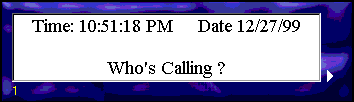 nice looking sitting on the desk top.
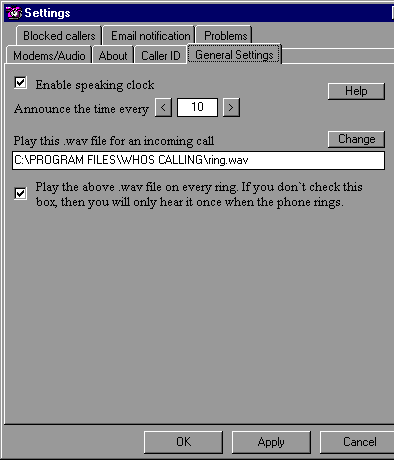
This is the general settings window :
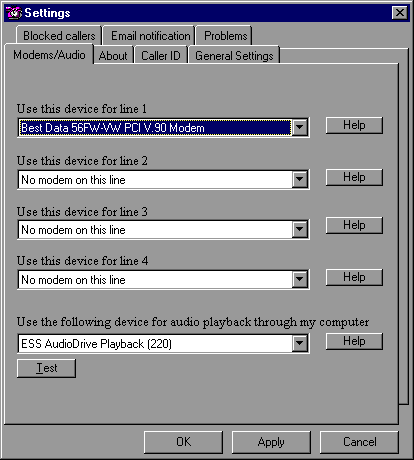
 This screen shows your modem setting and incomming lines and the system used to hear the messages.
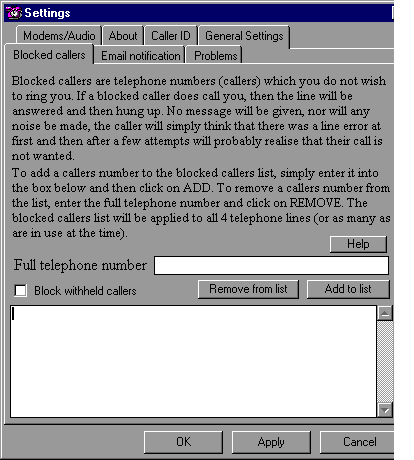
 Now this window is where you go to set call block to screen callers you do not want to have announced:
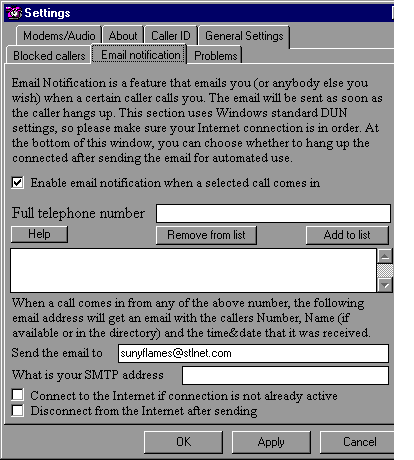
Now this box you can set to announce your calls to any email account to keep track of calls at home or at the office *S*
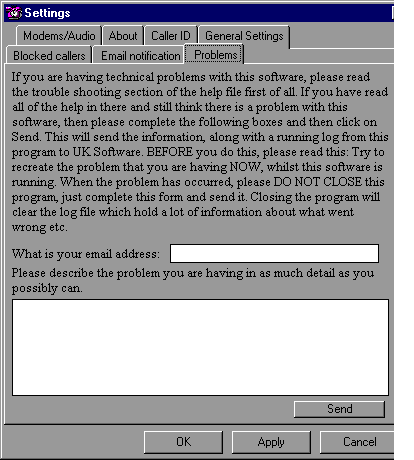
If you have any proublems at all you can let the programmer know what they are anytime.
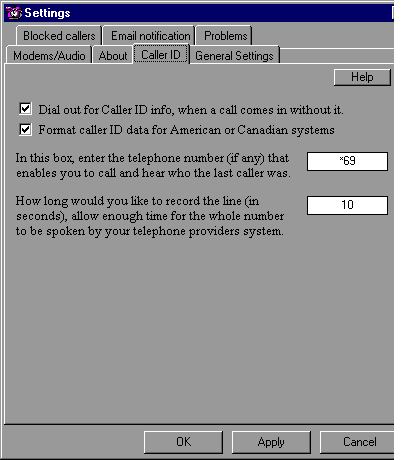
Here is where you set your caller ID info.
This tab tells you all about the program and the addresses to go to get information or buy the program
 All right are you ready to download and try WHO'S CALLING??????
Click here to download Who's Calling
All right are you ready to download and try WHO'S CALLING??????
Click here to download Who's Calling





Make your computer talk back to you, click here for a free trial
Please sign my guest book before you leave!
