Screen area tends to be a big problem for some people. For some unknown reason the screen can change its area and people have trouble figuring out how to get it back to normal.
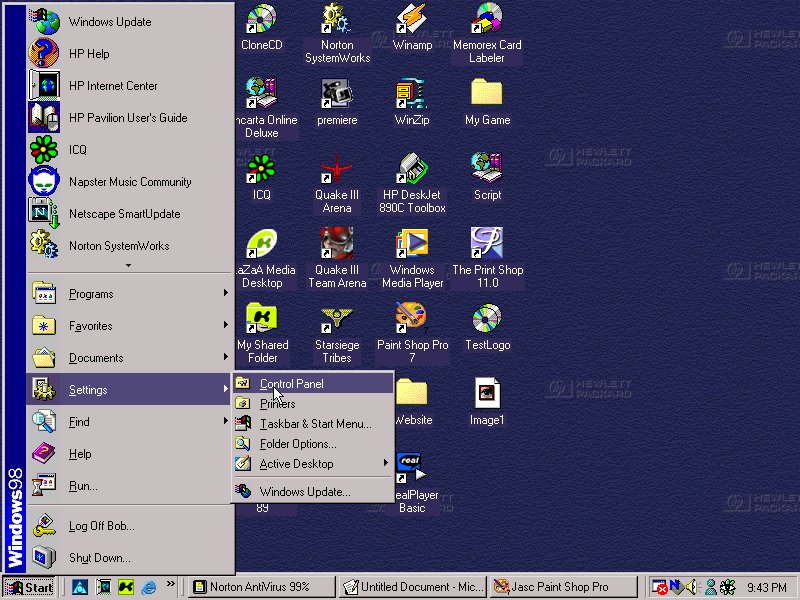
The first step is to go Start in the bottom left and corner. From there go to settings. A small side bar will come up giving you a few options. You would select the one that says control panel. This is shown below.
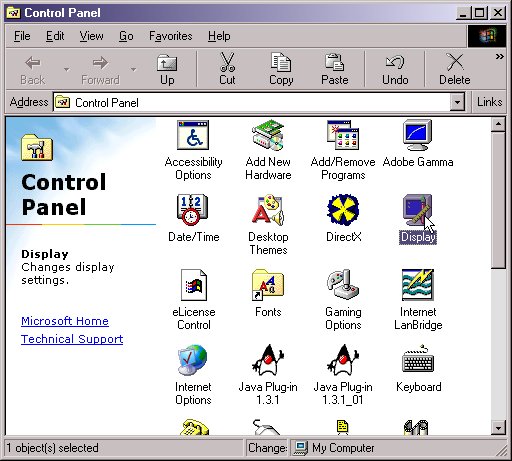
Next you would select the Display option. This is shown below.
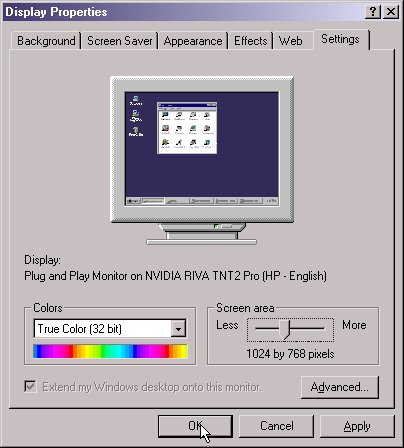
After this you would select the setting tab at the top. From there you will see a bunch of settings. Look at the bottom area. There you will find what you are looking for. Most people keep their Colors Section to the highest setting. Then there is the Screen area selection, usually most people keep their screen at 800 by 600 pixels or 1024 by 768 pixels. There are others and I'm not going to tell you which is right for you. Just test it out and find which one is best for you. Once you have selected the properties that are right for you click Ok.