Hey i don't have much downloads here but I am making Icq Skin! But you need the program ICQ PLUS first. Download it here. Download my Winamp Skins! You also need Winzip. Click on the picture to download the file. You'll also find some skins here.NOTE: WINAMP SKINS ARE BELOW THE ICQ SKINS! ICQ SKINS ARE UNDER FUTURAMA THEME! FOR PC USERS ONLY, NO MACS.
Vote for the skins!
FUTURAMA THEMES
Futurama Theme- Comes with Futurama sounds, and Futurama cursors. NOTE THAT IT IS STILL IN WORK.
HOW TO DOWNLOAD FUTURAMA THEMES. 1. Click on the link. 2. It win begin to download. After, unzip it. 3. Go to "My Computer", then "Control Panel", then "Desktop themes". 4. On the drop-down menu, choose "Other..." 5. Look for the theme where you unzipped the file. (MY COMPUTER\C:\UNZIPPED\FUTURAMA THEMES, etc.)
ICQ SKINS
How to download Icq Skins: 1. First, if you don't have ICQ, download it here 2. If you don't have ICQ PLUS, download it here. 3. Click on the picture of the ICQ SKIN. 4. It will start downloading. Then after unzip it to C:\PROGRAM FILES\ICQPLUS/BENDER. Next, open ICQ. 5. Click on the + sign on your top right. 6. Choose "Import". 7. Choose "BENDER". 9. Enjoy!
Fryskin.zip
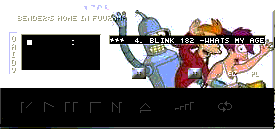
Thegangskin.zip
Suicideskin.zip
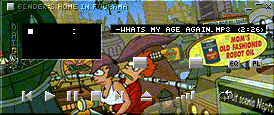
Fryleela.zip
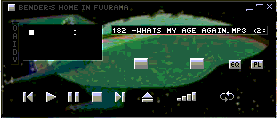
Shipskin.zip
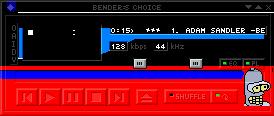
Benderchoice.zip
Robonukah.zip
How to use Winamp skins: 1.Download it 2. Save it to C:\Program Files\Winamp\Skins 3. Open Winamp 4. Press Alt+S. 5. You should see a "Skin Browser". 6. Browse for the zip file. And enjoy!
F.A.Q
Do I have to unzip the files? No you don't. Just download the zip file.
I didn't save the Winamp program to Program Files. Look for the Winamp program first, and then download the file. Or you can also download the zip file to another folder first. When you're browsing look for where you downloaded the file. GO BACK



 Fryskin.zip
 Thegangskin.zip
 Suicideskin.zip
 Fryleela.zip
 Shipskin.zip
 Benderchoice.zip
 Robonukah.zip