
Tub Tutorial
Download a sample Graphic to use.
This is the easy way for us to make a "tub" and it will only work on Graphics with a solid background or areas with a large flat color. Go To the Browse Feature and choose the graphic that you want to take a "tub" from.

Lets check the size by going to IMAGE>CANVAS SIZE
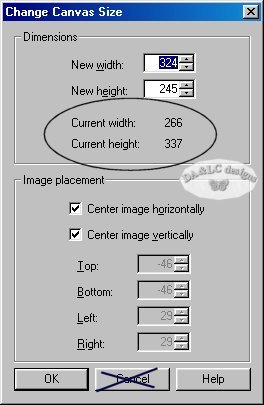
We are only checking the size of the graphic here...we will not change the size here so click on cancel once you get the dimensions you need. If you need to resize you must go to IMAGE>RESIZE.
NEXT STEP:
Create a new transparent the same size as your chosen graphic.
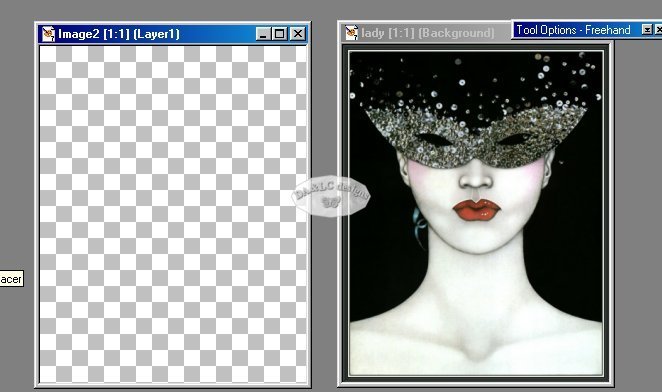
Make active your Lady Graphic EDIT>COPY, Make active your transpartent background EDIT>PASTE.
You can now close your original Lady Graphic so you have more room on your desktop. Nothing bad will happen however if you don't close the graphic out...this step is only to keep the number of graphics on your desktop small.
NEXT STEP:
Select your "Magic Wand" and click on your background. Make sure you see "Dancing Ants" around the whole area. The "Dancing Ants show you the area that is now active.
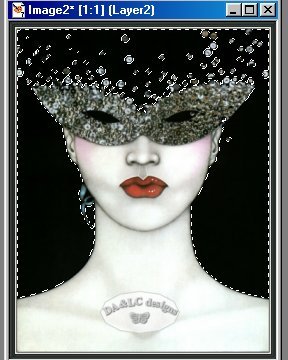
Go to EDIT>CUT
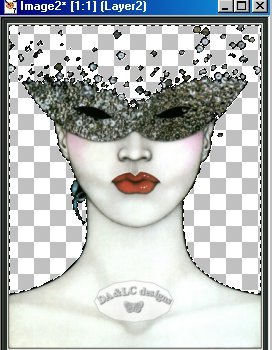
Go to SELECTION>SELECT ALL
Go to LAYERS>MERGE VISIBLE
If your transparent background turns white during this step you have MERGED>ALL (FLATTEN) ..EDIT UNDO and redo as MERGE VISIBLE

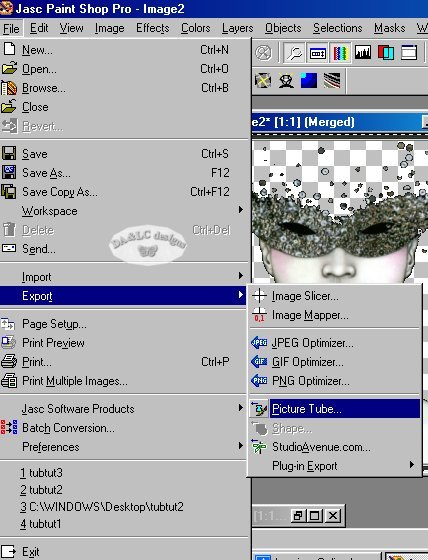
Go to FILE>EXPORT>PICTURE TUBE
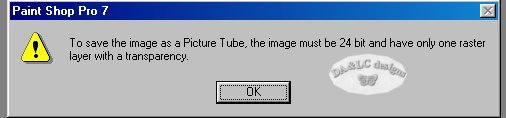
If this warning comes up on screen you did not COPY and PASTE your picture to your Transparent Background or you did not MERGE Layers Visible. You can only make a tube with a single layer with transparency. If you did both steps then make sure the correct picture you are trying to make into a tube is the Active Graphic and there is no possibility a graphic that has been minimized to your desktop has become Active by mistake. I personally have done them all.
NEXT STEP:
Once you click on EXPORT>PICTURE TUBE a new box will appear.
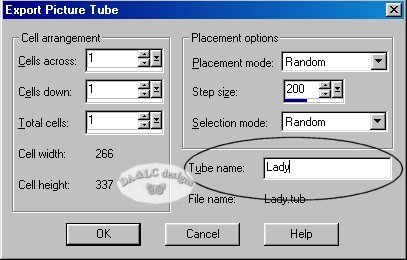
In the Tube name box type in only the name of your tube with no extention. If you add an extention by mistake your tubes name will be Lady.tub.tub and not Lady.tub
You will now be able to use you new tube using the "Tube Tool".
All Tutorials and Graphics on this site ©byDiana/Laura 2000 do not use without permission.
