
Making Our Locket into a Snowglobe
Download Tube
Open PSP and Browse to your Locket Graphic and open. Make Active your Locket and EDIT>COPY then EDIT>PASTE as NEW IMAGE
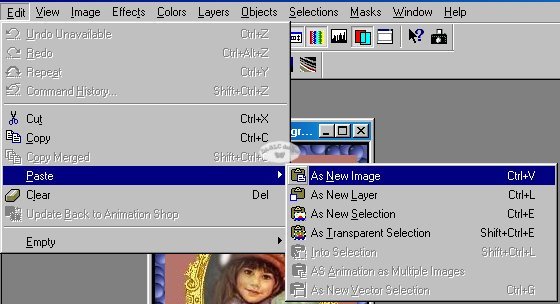
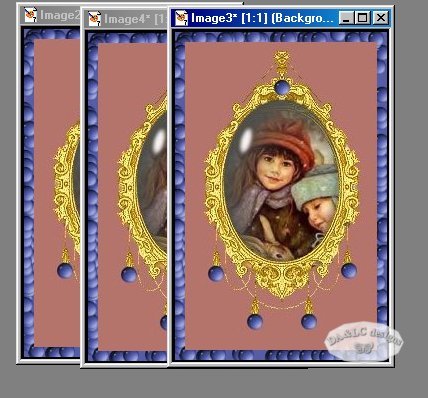
Do this step 3 times.. Close out your original Locket Graphic when you have the new images.
Browse to your star tubes and open. I have zipped several tubes for you to choose from..3 stars and a set of snowflakes..choose the one you want. Go to VIEW>NORMAL to see the actual size of your tube..then IMAGE>RESIZE until the tube is very small.
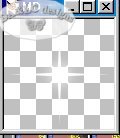
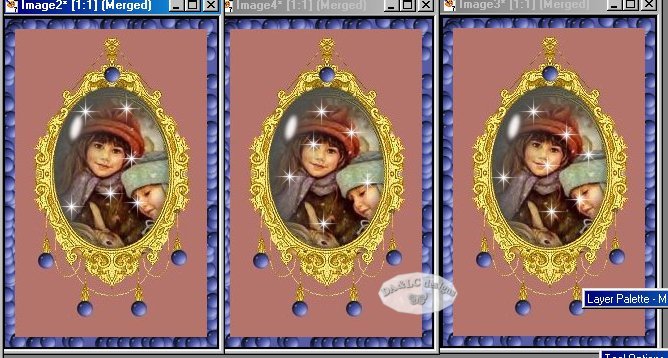
Make Active your resized tube and EDIT>COPY..(you may use your Tube Tool for this step instead of EDIT>COPY but I like the freedom of moving my Tubes to where I want them) Make Active your first Locket Image and EDIT>PASTE as NEW LAYER. Repeat this until you have the desired amount of stars on your image. MERGE>Visible or Flatten and SAVE AS a psp file to your DESKTOP. Do the same step for all 3 New Images. Keep track of how many Stars you put on each image so you keep the same amount on each of the New Images. Put the new Images side by side to make sure the stars are in different places on each. Notice the names of your graphics... IMAGE 1, IMAGE 2, IMAGE 3..yours may be different than mine so make sure you pay attention, you will need to know their names in Animation Shop.
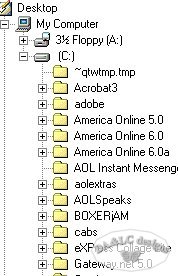
*HINT: you may save your New Images anywhere on your Drive..but in Animation Shop we will need to browse to find them to bring them in and DESKTOP is the first File at the top of your Tree so it makes it VERY easy to Browse and get. When your done with these images having them on your DESKTOP will remind you that they need to be DELETED. This way your computer does not fill up with useless unwanted graphics.
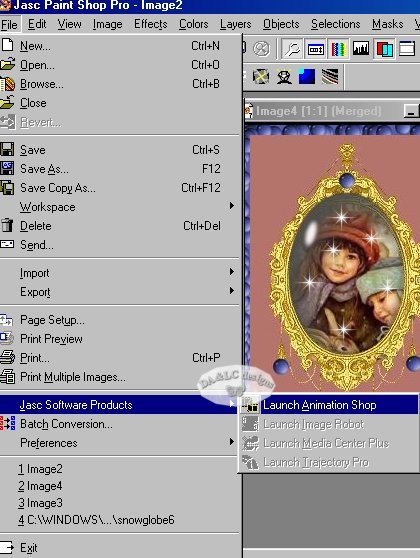
Now go to FILE>Jasc Software>Launch Animation Shop
NEXT PAGE
All Tutorials and Graphics on this site ©byDiana/Laura 2000 do not use without permission.
