
How to Download and Unzip a Tube or Graphic file.
On many of our pages I have added downloadable files for you to use with your Tutorial. You may download by left clicking on the highlighted word "DOWNLOAD".
EXAMPLE
This Tutorial for Winzip was made using the WIZARD setting.
Notice Download is in a different color.
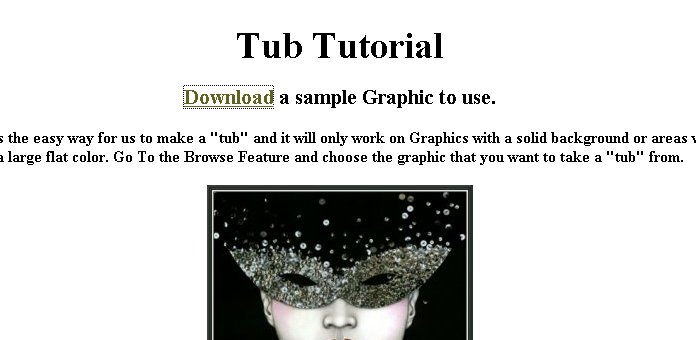
When you left click on Download a box will appear.
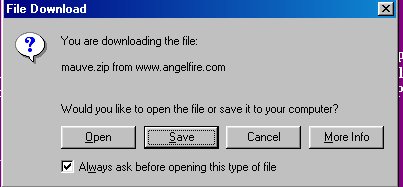
For this Tutorial We will choose to click on SAVE..

In this step we choose where we want it downloaded. I have chosen the DESKTOP.

After the file downloads we will left click on OPEN FOLDER

Double
right click on the ZIP File you have just downloaded. This Icon will is associated
with all Winzip Files  .
.

A winzip box will appear...Left click on I AGREE.

Click on WINZIP Classic
..
Highlight the name of your file by Left Clicking 1 time and click on EXTRACT.

Here is where we choose where our file will be extracted. Left click on EXTRACT. Now open up PSP and Browse to your new graphic or Tube.
Don't be surprised when your downloading tubes if Winzip does not take you through this whole process. Just read your screens and make your choices if that happens.
TRICK:
If you find a Graphic (not a tube they must be downloaded) on the net that you like put your cursor on the Graphic and right click 1 time. A box will open up and choose SAVE PICTURE AS

Choose the Folder you wish to save your graphic as and you now own it. When saving on AOL NEVER choose to "Save As" with the "art" extention. Choose in order... jpg (jpeg) gif or bmp extention if you can.
All Tutorials and Graphics on this site ©byDiana/Laura 2000 do not use without permission.
