
.
Make your own Desktop Tutorial
Open Paint Shop Pro and
using Browse choose the Graphics and/or Tubes you want to use to make your desktop. Find
out your Graphic settings, mine is 800x600 so that is what we will use with this Tutorial.
Using the "Eye Drop Tool" gather a color from the main graphic you have chosen
for your desktop.
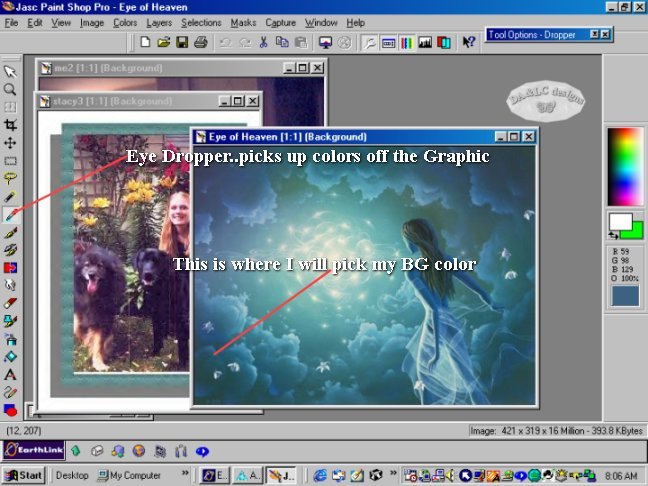
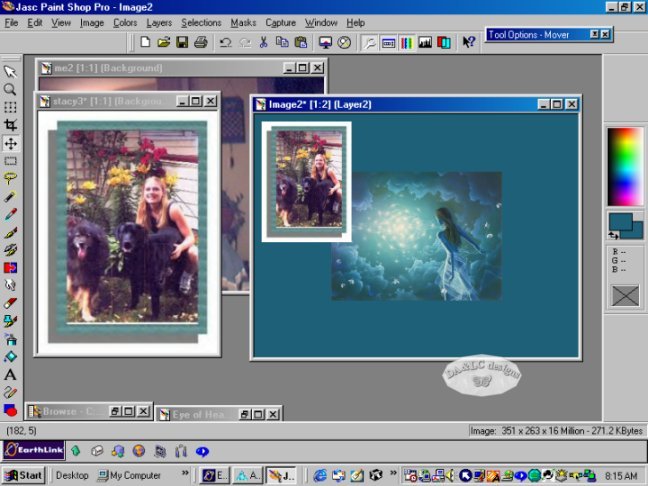
Make a New Image by going to File>New and make it 800 pixels wide by 600 pixels high
choosing the color you want. Make active your chosen Graphic and Edit>Copy, make active
your Desktop graphic and Edit>Paste. Do the same with all graphics you want on your
desktop. Add frames or tubes to your graphics if you wish before you Copy and Paste them
to your new Desktop.
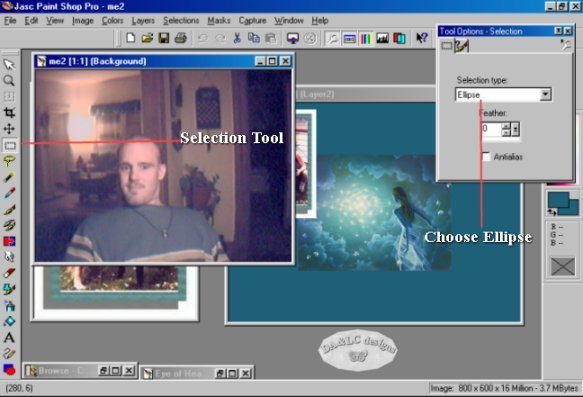
The next picture I decided to make in a shape and not frame. Choose your Selection tool
and going to the picture you want to shape hold your mouse button down and drag a the
Ellipse selection out.
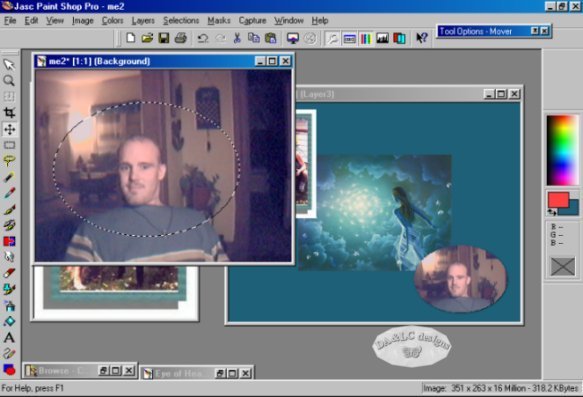
Anything inside the Ellipse will be your new image... This step may take a few tries to
master, if you don't like the result of your first try go to Edit>Undo Selection, if
you are happy then Edit>Copy, make active your Desktop Image and Edit>Paste as new
Layer. I think it would look better with a shadow around the New Picture Layer...
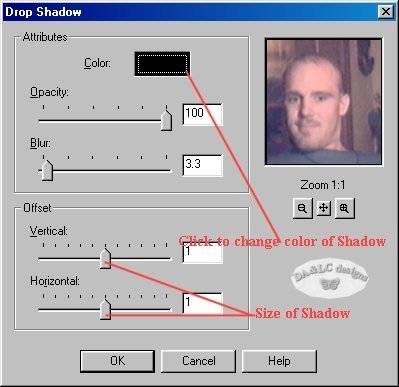
Go to Image>Effects>Drop Shadow. A screen like the next Graphic will come up here is
where you can make your changes to the Shadow.
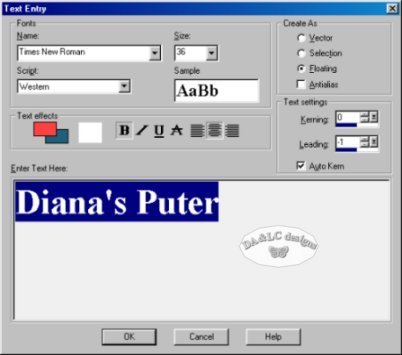
To add words to your Desktop go to the Text tool. With the words Highlighted you are able
to change Font, Color, Size.
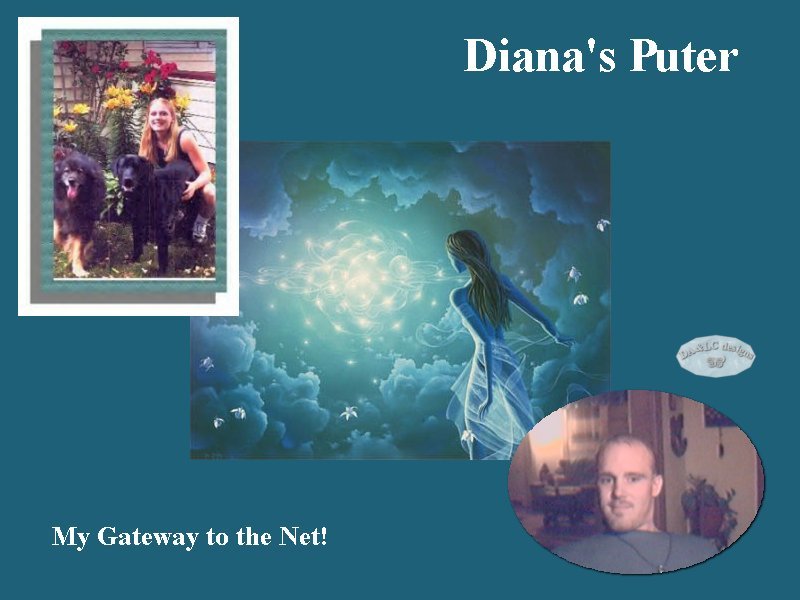
This is very much resized view but this is my new Desktop..
Download a Halloween Desktop I made out of tubs.
Download some Halloween tubs to make your own desktop. I suggest not using the "Tub Tool" for this project but the "copy" and "paste" method. Don't forget to check your PSP or Tub size! This file make take a few minutes to download.
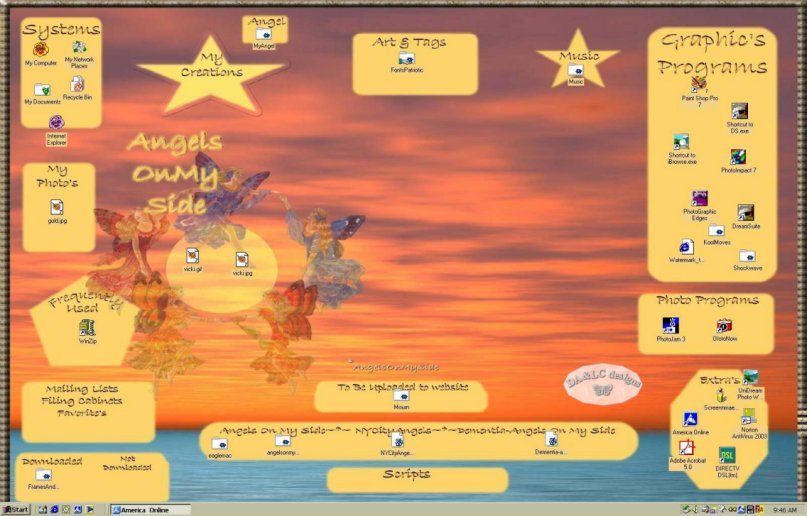
Here is a desktop Donna from NYC just made... this is a resized view. She shows us that the possibilities are endless with what you can create!
All Tutorials and Graphics on this site ©byDiana/Laura 2000 do not use without permission.
