
 |
|||||||||||||||||
 |
 |
||||||||||||||||
 |
 |
||||||||||||||||
 |
|||||||||||||||||
|
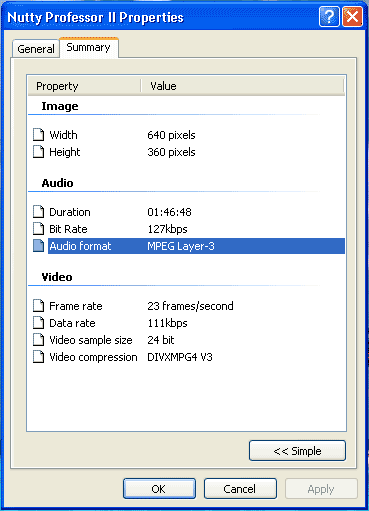
Firstly you will need to downoad TMPGEnc. You now need to find out whether your AVI file is either PAL (European) or NTSC (America and Japan). To do this right click on your AVI file and select "properties" then go to the "summary" or "detailed" tab and look in the "Video Format" section. The "23 Frames/Second" (Actually its 23.976 to be more precise) is the frames per second property of the AVI file. 23/23.976 = NTSC, 25 = PAL and 29.97 = NTSC. |
|||||||||||||||||
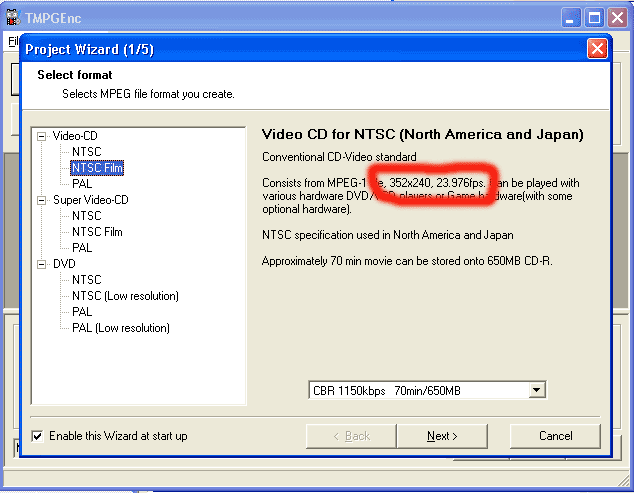
| Next open TMPGEnc and you should be presented with a screen that looks similar to this. Now simply chose which format you would like to convert your file to (in this case VCD) "NTSC Film" has been selected as this is the required frame rate for this conversion. The red circle shows where to look to ensure you have selected the correct frame rate. The box a the bottom is simply to show you how much large the end result will be. (MPEG - 1 is the format used by Video CD's). | |||||||||||||||||
 |
|||||||||||||||||
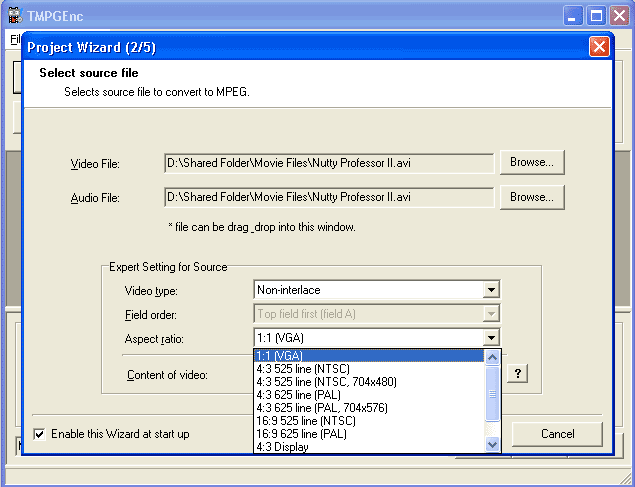
| Select
the source of the "Video File" (This is the location of the AVI
file). If u wish to use a separate sound track then select an audio file
otherwise just leave it the same as the "Video File" source. For the "Video type" select "Non-interlaced". Field order (just ignoor this box). For the "Aspect ratio" simply select 1:1 for a computer monitor or 4:3 for a notmal TV and 16:9 fot a Widescreen TV. (If you are unsure just chose 4:3 Display) "Content of video" ignoor this box too :-) |
|||||||||||||||||
 |
|||||||||||||||||
|
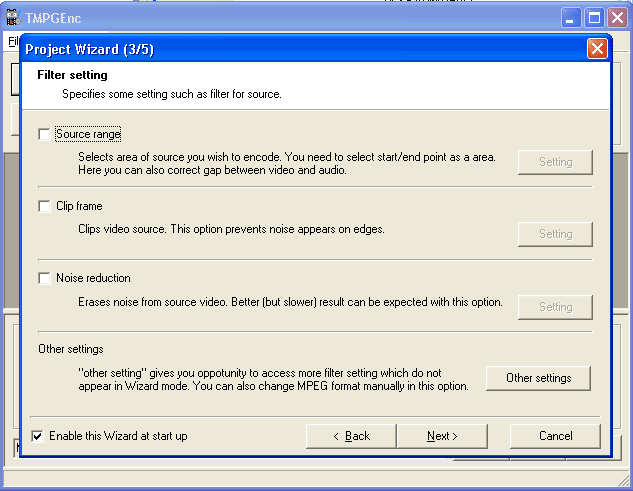
Do not change anything here just click on "Next". If you do not know what these controls do then dont worry about them because they dont apply to you. If however you think you know enough to use these then feel free to do so. |
|||||||||||||||||
 |
|||||||||||||||||
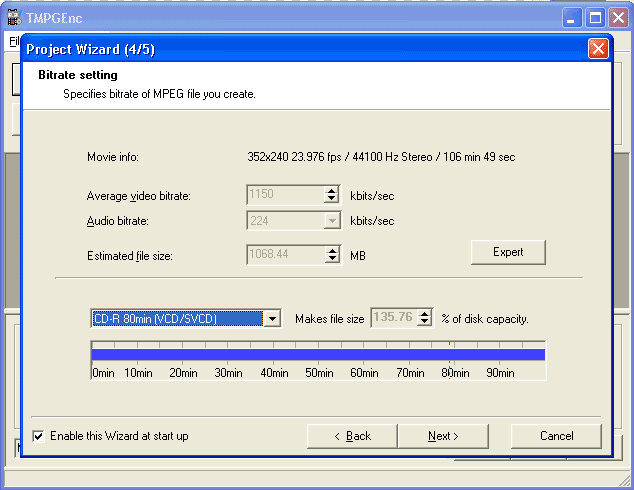
| Here you can
use the toolbar to chose which typr of medium you wish to store your Video
CD. Chose the crrect type and it will show how well the film will fit to
a CD. MOST VCD's will be oo big to fit on a standard 80min CD. For those
of you out there who own DVD Burners this is not a problem but for the majority
of the population you will have to split the film into two pars in order
to fit them an an ordinary CD. Instructions oh how to do this can be found
here(comming soon). Click on next once you have chosen your desired storage type |
|||||||||||||||||
 |
|||||||||||||||||
|
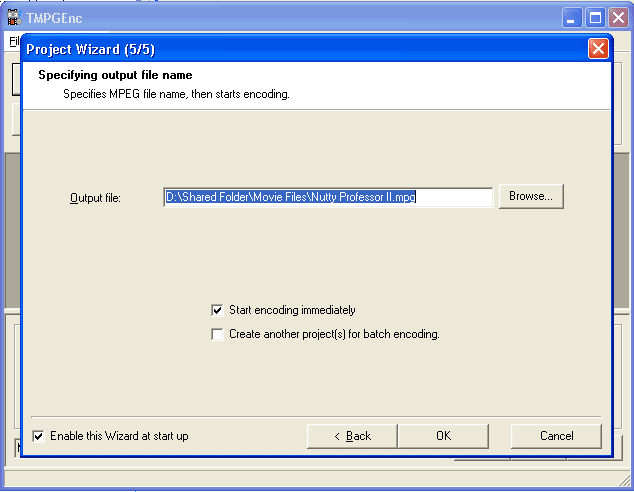
Here you simply need to chose where you
would like the finished VCD to be stored. Click on OK |
|||||||||||||||||
 |
|||||||||||||||||
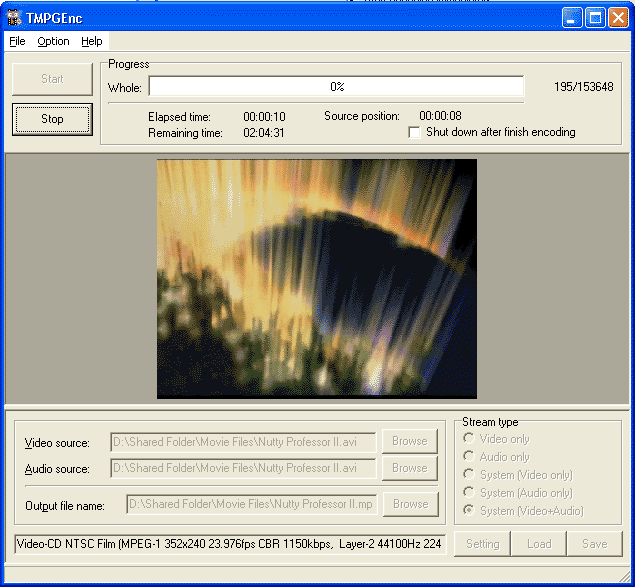
| Here you will see the process begin re encoding. The duration of this process deoends on the length of film you want to convert aswell as the type of ouput you have selected. | |||||||||||||||||
 |
|||||||||||||||||
