2. Text
Text on Composer is similar to writing on a word
processing program. You type where you see the flashing line.To change
the font, go to Format and go to Font.
From the Font menu, you can change the font of your text.
3. Images
Inserting
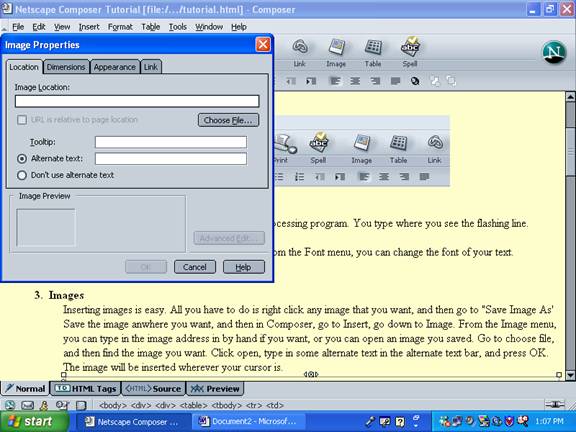
images is easy. All you have to do is right click any image that you
want, and then go to "Save Image As' Save the image anwhere you want,
and then in Composer, go to Insert, go down to Image. From the Image
menu, you can type in the image address in by hand if you want, or you
can open an image you saved. Go to choose file, and then find the image
you want. Click open, type in some alternate text in the alternate text
bar, and press OK. The image will be inserted wherever your cursor is.
To delete an image, click on it and press the Delete button on your
keyboard.
4. Links
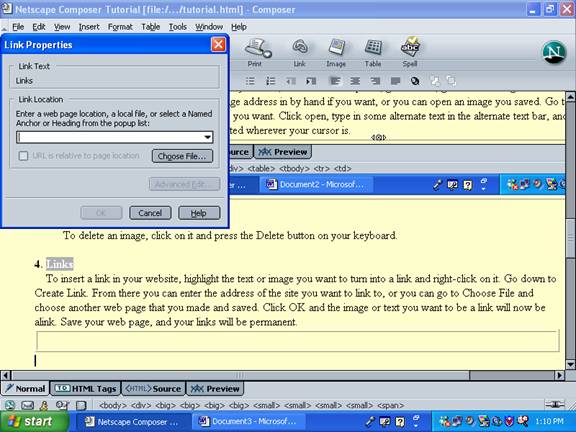
To insert a link in your website, highlight
the text or image you want to turn into a link and right-click on it.
Go down to Create Link. From there you can enter the address of the
site you want to link to, or you can go to Choose File and choose
another web page that you made and saved. Click OK and the image or
text you want to be a link will now be alink. Save your web page, and
your links will be permanent.
|
To remove a link, highlight and right-click the link, and then go to
Remove Links.
5. Tables
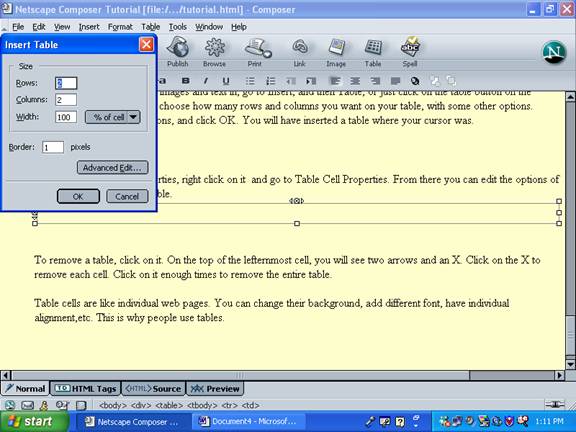
To create a table to insert images and text
in, go to Insert, and then Table, or just click on the table button on
the toolbar. From there you can choose how many rows and columns you
want on your table, with some other options. Choose your table's
dimensions, and click OK. You will have inserted a table where your
cursor was.

To edit your table's properties, right click on
it and go to Table Cell Properties. From there you can edit the
options of one table cell or the entire table.
To remove a table, click on it. On the top of the
lefternmost cell, you
will see two arrows and an X. Click on the X to remove each cell. Click
on it enough times to remove the entire table.
Table cells are like individual web pages. You can
change their
background, add different font, have individual alignment,etc. This is
why people use tables.
There. Now you have a basic knowledge
of how to use Netscape Composer.