
|
3D text-effect |
This is a nifty little effect for making text look 3d. |

 |
| Start out with an simple pattern. |
 |
| Type in whatever you want. |
 |
| Fill in that text with the same pattern you used for the background. You can't see it here but its there. |
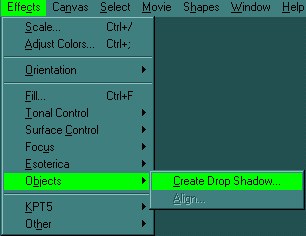 |
| Next while the text is selected, create a drop shadow. |
 |
| The only thing you need to change is the radius, set it to 2.0. |
 |
| And there's the shadow you just made. |
 |
| Move the shadow up so that its just a little below the original text. |
 |
| Copy and paste that shadow, then make it negative. |
 |
| Send that white shadow to the back while keeping it a little higher than the original text and there you have it! |
| Its a pretty easy thing to do, and it gives a great effect! Have fun! |
Hope that helps! |


