|
Shading Use in an Image |
When designing just about anything, Shading is a necessity. It gives an image a LOT of realism which is always needed. |

|
These 2 images show the difference. The first one isn't shaded, and the second one is, see that difference? Pretty big huh? Just about every object needs to be shaded in an image, or it will lack dimension. |
|
|
|
This shows the very simple process for shading a simple object. 1: Shows the object , looks cheesy doesn't it? 2: You need to shade one side with a dark color. 3: Shade the opposing side with a lighter color.. Its that simple. |
|
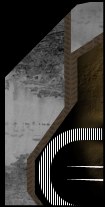
This just shows the basic object with a texture behind it. |
| This shows the oval after being shaded all around. | |
| Next add a little shine too it with a white oval. | |
| Then create a shadow to give it a 3d effect. | |
| Add another white shadow above. | |
| And finally add one more white shadow so that it slightly overlaps the first one you created. | |
| That was a pretty basic tutorial on shading, but hopefully you will learn from it. |
Hope that helps! |