|
How to access the Dreamcast Chat Channels |
|
| We will assume that you have read the instructions on setting up the Dreamcast Open Nap Network Servers. And have Win Mx up and running and connected to the DCservers. | |
|
Step 1: |
|
|
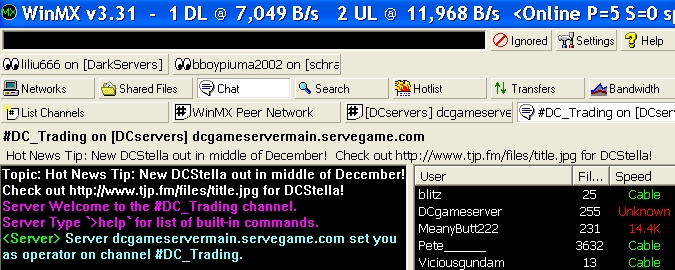
Click on the CHAT button. |
 |
| Step 2: | |
|
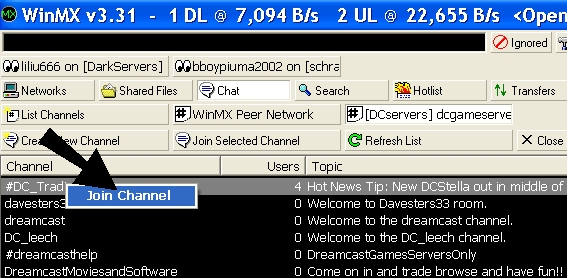
1 - Click on List Channels |
|
| Step 3: | |
|
Select the Chat Channel you wish to join, double click the channel or right click and press "Join Channel" - as show on the right. |
 |
| Step 4: | |
|
|
|
|
For a more detailed explanation on the basic functions of Win MX -> Click Here |
|