
The Promise of DIgital Photography
My original page on digital cameras
began sometime in late 2000.
I had narrowed my choices down to something that could could
capture an image with slightly more resolution than your
average television. 300k pixels (0.3 megapixels) was
equivalent to 640x480 or VGA. Today (Sept 2004), almost four years
later technology drivers on and we know live in an era were
a 512 memory stick is less than $100 dollars.
As I have not updated this page in 4 years, it is not
suprising that almost/most of the links are dead. There have
also been some really neat developments in small digital
cameras with fixed memory called tinycams. ( Note: The newer site is now located here.
There is an associated Yahoo Groups tinycam
page where you can post links, discuss and share. The shapes
and capability of these cameras just continues to grow and
amaze. Here is a sampling.
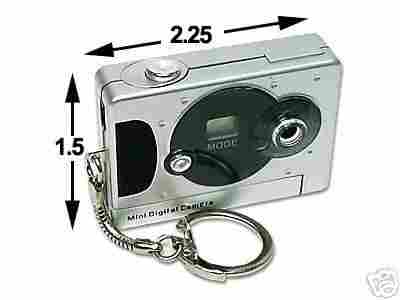
I have in my hand a digital
camera with a USB interface (high speed serial interface for uploading
images from the camera to the PC) that is about the size of
a pack of matches. It can hold 26 640x480 (0.3 megapixel)
images using one AAA battery!
This page is really about cameras with no expandable
memory that you could stick in your Jeans or wallet.
Typically, the cameras are either 0.1, 0.3, or 0.48 megapixel
cameras that are capable of storing on the order of one or
two hundred pics. They have no expandable memory and use
common batteries.
1. What to look for and what not to look
for
2. Background reading...boning up on Digital Cameras
2.1 General Specifications and Comparison
Shopping
2.2 0.3 Megapixel Cameras...just what
the doctor ordered
3. Summary...go for portability and quality
4 HIT Mini Spy Camera
Oct 15, 2004
1 What to Look and what not
to look for
What I like to put down here are a few thoughts
of what I think are the real world practical needs/requirements of people
looking for a low cost/moderate quality/well designed digital camera.
I have owned a number of traditional film cameras and a
a site covering buying
tips by Philip Greenspan should be read whether you buy
a normal film or digital camera.
Problem is that some parts of his site where last updated in 2001
and the digital cameras reflect that. His choosing a digital camera caters to the high end
11x14 pro-oriented consumer and not so much the point and
shoot crowd.
I've revised
my list for a first camera. Take a looke at the EZ200 link
to see the sort of pictures that you should expect at very
minimum. These are far short of what can be achieved by a
reputable manufacturer (like Fuji in a 1280x960/1.3
Megapixel format).
Back in the year 2000, I
thought the Epson 550 passed with flying colours...and I
think it is a good standard to aim for, still, by the low
cost units that are "Made in China".
As important as image quality, the combination of useful
features found in today's Key chain
Camera was previously (in 2000) unheard of.
Flash forward to today and the previous paragraph does not hold. High quality polycarbonate (used in eyeglasses and not to be confused with plastic) can be used to generate a lens with sharpness, low chromatic abberation, and neutral bokeh. Many of the reviews at Imaging Resource contain actual pictures that you should look at. For those who need more info
|
Resolution/Quality |
Resolution (1280x960) |
Resolution (640x480) |
(320x240) |
|
| Fine Quality | Images | 12 | 45 | 180 |
| Approx. Compression |
4:1 | 4:1 | 4:1 | |
| Normal Quality | Images | 24 | 89 | 360 |
| Approx. Compression |
8:1 | 8:1 | 8:1 | |
| Economy Quality | Images | 47 | 178 | 720 |
| Approx. Compression |
16:1 | 16:1 | 16:1 | |
Based on the image quality in the "Fine Quality" mode the 640x480
resolution takes about 180K (i.e. 8e6/45) using 4:1 compression. Using
12:1 compression would allow for less quality and about 3x
more pictures and 1/3 the storage at about 60K per image.
Doing the calculation for a 2MB memory (not 8MB) using 12:1
compression would result in the following image capacity.
The amount of memory for each images is about :
|
Resolution |
Resolution (640x480) |
Resolution (320x240) |
|
| Standard Mode | Images | 27 | 108 |
| Approx. Compression |
12:1 | 12:1 | |
2 Boning up on Digital Cameras
There are a few exceptional web pages out there that cover just
about every facet of digital photography due to its long infancy. The manufacturing
base has enlarged so that computer peripheral makers, such as Epson and
HP, are now marketing cameras.
The "getting started pages" of The
Imaging Resource is a great resource for the beginner P>
2.1 General Specifications and Comparison shopping
2.2 0.3 Megapixel Reviews/Images...just what the doctor order...
I started doing a fair amount of darkroom work by developing black and white film and enlarging prints when I was about 12 years old. I attempted to do colour work for a while but I found it to be expensive, stinky, and demanding in terms of temperature/process control. I did limited amounts of colour enlarging work as a result. Flash ahead to a year ago when I manipulated the team hockey picture so that the person on the far left, who forgot his hockey sweater,so that his white T-shirt took on the Team logo and colour of the person standing 5 players away from him. Knocked my socks off!....I was converted.
Nexxtech / MN100 / SY-2107 / Keychain Cameras
L'espion Xtra Reviews
This camera is an upgraded version of the SY-2107 with
800x600 resolution (0.48 megapixel). It distinguishing
features are a metal chassis.
Sipix Blink II
This camera is very similar to the Nexxtech but features
more memory, a real viewfinder, better LCD display and a fan
base consisting of image based websites:
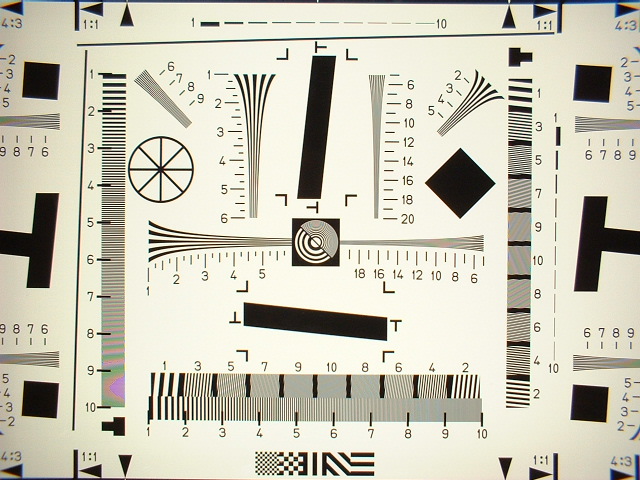
Fuji Finepix A101
This camera features 1.3 Megapixels and probably represents
the culmination of the tinycam revolution in a few years.
It is included for those to see what is missing in today's
tinycams versus an entry level picture taker from one of the
big boys (expanded memory, 2x linear resolutio, great
optics, great colour). It sets the bar for tinycams except
for the requirements of added memory and the higher
resolution mode.
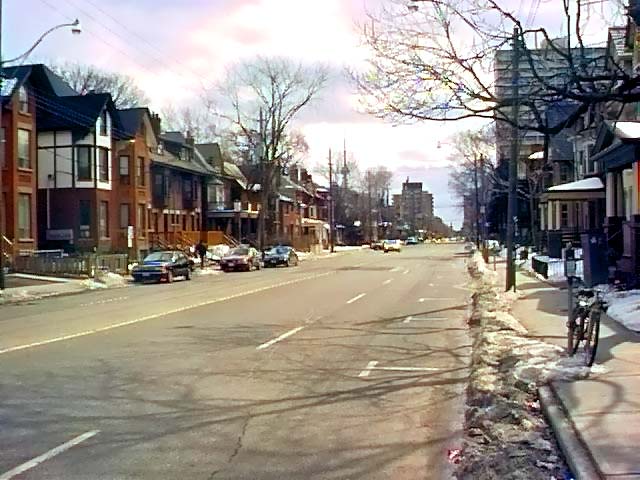
Below is a picture shot with a $100 Dimera 3500 in 640x480 mode
that takes up about 60 KB of
storage. This is the sort of quality you can expect from a
tinycam (or worse) with a no-name sensor and no-name lens
and fairly high compression (16:1).
 A101 resolution sample->
 (Click to enlarge)
Minolta Dimage Xt
What is the magic ingredient that lets a small camera join
the big boys ? I believe that is the "folded lens". the
idea is to have a the focussing and zooming done by internal
lens elements and to then use a periscope idea to make a
vertically orientated lens (pointing to the sky) by way of a
pentaprism. Externally, their are no moving parts and the
power up time is fast. Some loss of detail and low light
capability (effective f-stop) might be an issue as indicated
in some of the user reviews. The more recent cameras have
moved away from the proprietary lithium-ion batteries
towards rechareable AA format. The problem is that all of
these cameras have phased out the optical viewfinder.
Here is a link to a comparison chart of their
family of cameras. Olympus has just adopted this technology
in their AZ-1 model and their Ferrari series of digicams.
Flatfoto 1.3 Megapixel
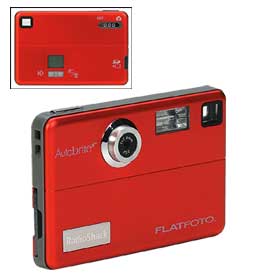 Judging by the information LCD on the back of the camera,
the innards of this camera was designed by the same folks
that brought you the Sipix Blink/Blink II. Apparently, the
innards of this
camera was market under the Fuji brandname called the Axia
model.
Click below on the thumbnails to get enlarged images of the
rear "info LCD" and "specs":
Judging by the information LCD on the back of the camera,
the innards of this camera was designed by the same folks
that brought you the Sipix Blink/Blink II. Apparently, the
innards of this
camera was market under the Fuji brandname called the Axia
model.
Click below on the thumbnails to get enlarged images of the
rear "info LCD" and "specs":
LCD info Display-> 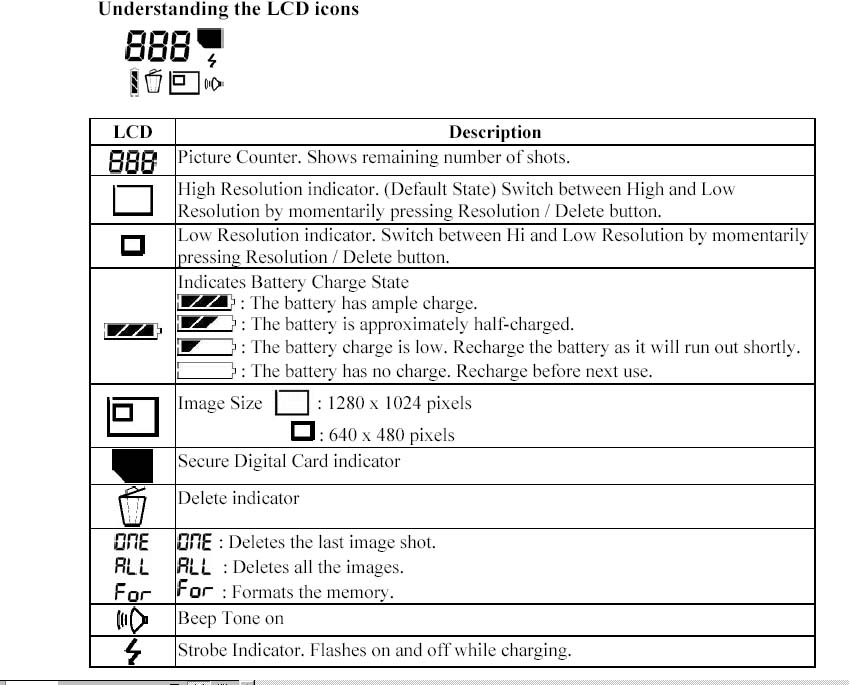 Flatfoto specs->
 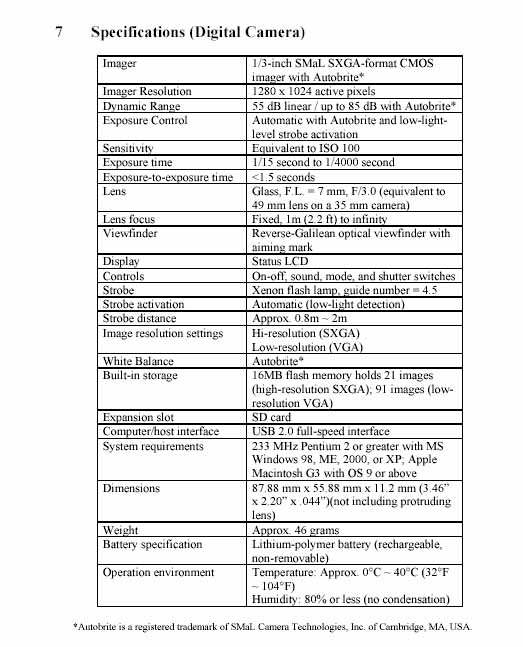 (click to enlage)
Sample Logitech 130 image 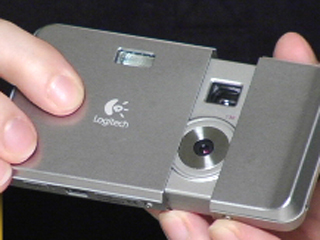 (click to enlarge)
I applaud Epson for originally making good tradeoffs such as omitting flash, LCD display, and TV-out. I think I'll throw one in my backpack and go hike around Euroupe for a few months. Apparently Fuji, Kodak , Minolta , Casio , Nikon , Canon...have been listening
Today my manual camera has shutter speeds from 1 second to 1/1000 of second. I can take pictures inside a church without a flash. The bride still looks beautiful and the lack of shadows makes up for the lack of "glam" common in the typical holywood "flashbulbs" everywhere shots. From what I have seen of CCD camcorders, the behaviour of CCD cameras at low light is quite different from conventional film at low light levels. It is a bit like night vision where details in the shadows seem to come through better. The only thing missing on the Epson would a small zoom and through the lens viewing coupled with a larger aperture.
The manufacturers have to beware of the "me too" syndrome that is very pronounced in the computer laptop arena where increase features are add odds with power consumption. I can justify a large/expensive battery in a $3000 laptop but not in a $200 portable camera. Picture quality good enough for 4"x6" prints and for web publishing have already been demonstrated coupled with real portability. The need for a low cost grphical input device into a computer is very much like the need for 3.5" floppy disks. I hope this thing has as long a life as my Fujica ST-701 camera that I still use today....It would be a sad lost if these units were not available in the next year and superseded by battery draining LCD units without the 320x240 mode. Less is more.
Take a look at ads below from the back inside cover of comic books from about the 1970s. I was a 12 year old who got one of those yellow notices from the CUSTOMS/SHIPPING office and had no idea how to take public transport....so long mail order camera.


 (click to enlarge)
The topic of mini spy cameras came up after my wife found Nexxtech mini-digital camera discussed above with a neighbour. It was not too long afterwards that I got onto Google and found that their is a strong interests in collecting these cameras. Some links:
Photo Editing can enhance and even alter the content of the orignal shot. Below we have on the left the orginal photo of a traffic sign framed against a blue sky. It was a bright brisk fall day and I had just came home from a walk around the neighbourhood. With the vibrant sky still in my mind's eye, I download the photos to get the photo below:
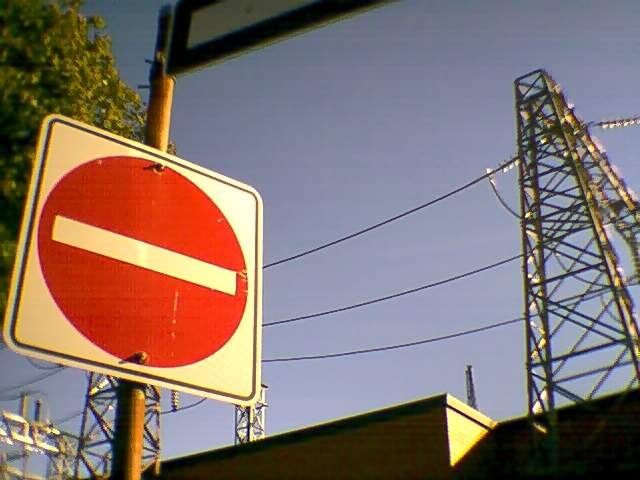 edited version=>
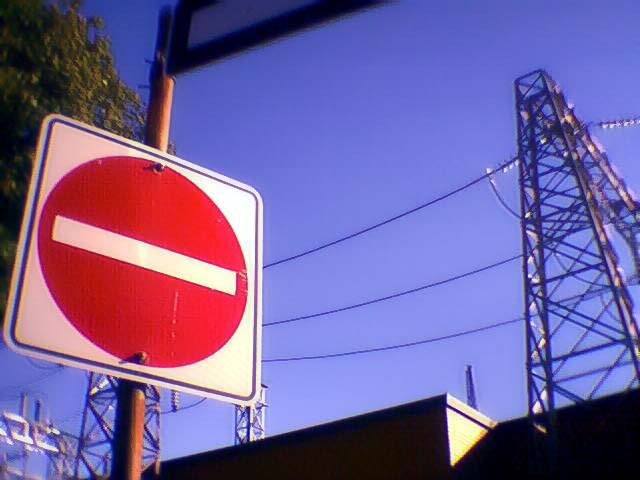 (Click to enlarge )

